FuMesh is the mesh editor I made for fixing 3D models and getting them ready to print. Version 0.6.0 is out for Mac, Windows and Linux, still as early access, and it is the biggest update so far.
This time I didn’t start from a list of tools I wanted. I asked for a review of the whole app instead: what is missing, what is hard to use, and what simply isn’t good enough. The answer was long, from overhangs nobody could see to menus that grouped things oddly and numbers written with a comma that we read as a decimal point here in Norway. This version works through nearly all of it.
Early access. It works on my models and prints, but expect rough edges. Keep a copy of your original files. Projects saved by 0.6.0 can’t be opened by older versions, and the Mac version now needs macOS 26 or newer.
See what will need support
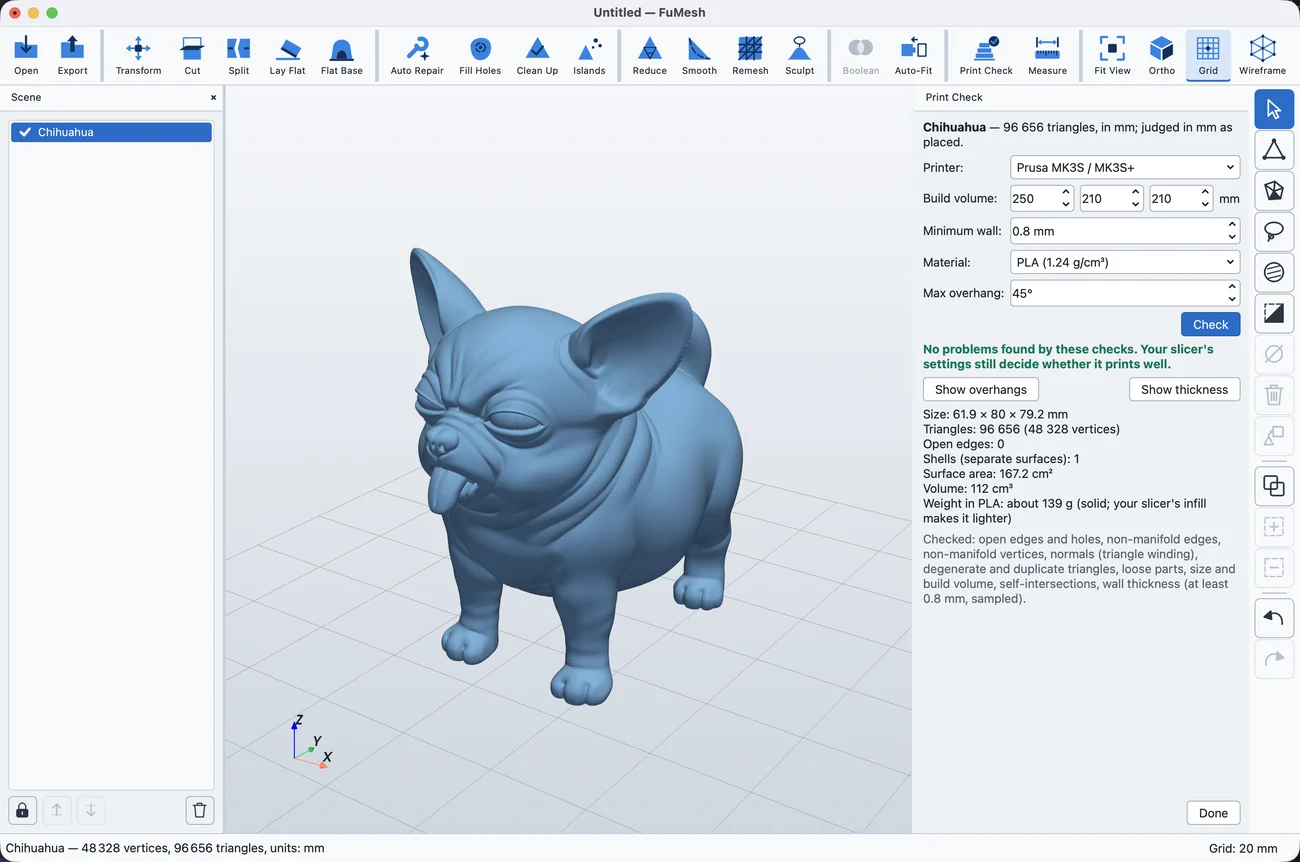
Print Check used to tell you what a slicer would trip over. Now it also shows you. Show overhangs colours every face that hangs over more steeply than the angle you set, yellow just past it and red for a flat ceiling, and says how much area needs support. Show thickness colours the model by wall thickness, red where it is thinner than your minimum wall.
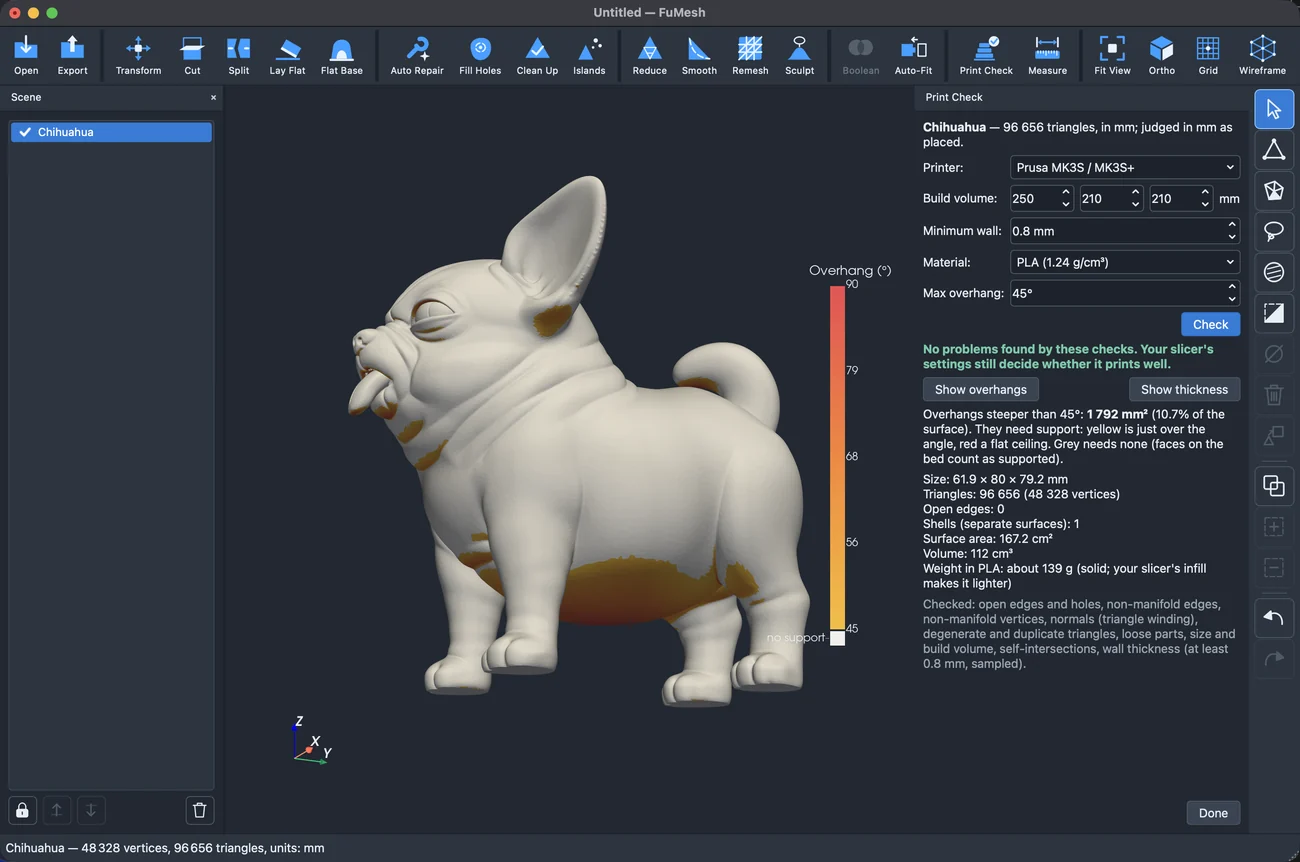
You pick your printer from a list to get its build volume, and the panel gives the surface area, the volume and what the part weighs in the material you choose. Auto-orient for printing turns a part the way up that needs the least support and stands best on the bed. And Open in slicer sends the scene straight to PrusaSlicer, Bambu Studio, OrcaSlicer, Cura or whichever slicer it finds on your computer.
Halves that go back together
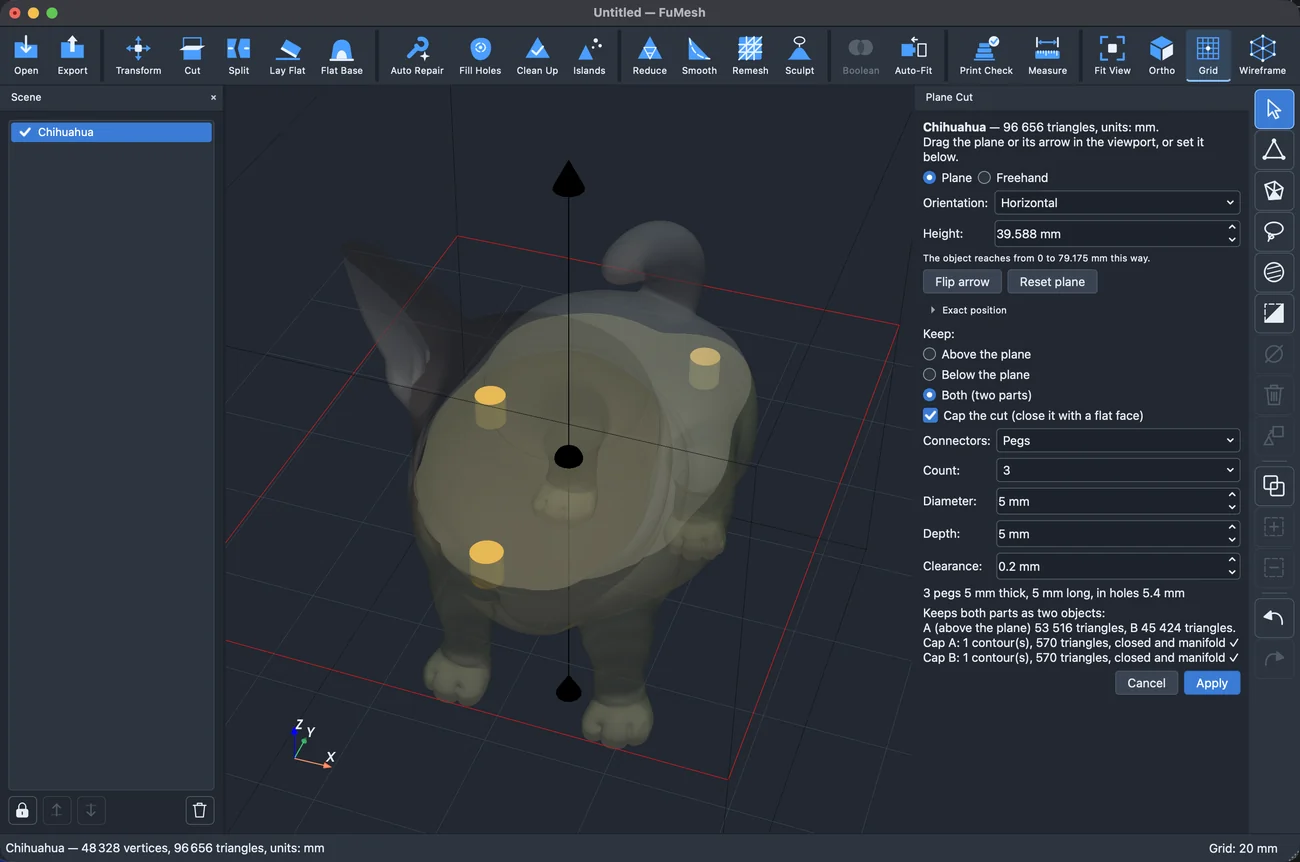
Plane cut now speaks plainly: keep what is above the plane, below it, or both. When you keep both, it can add pegs on one half and matching holes in the other, or dowel holes in both, with the clearance your printer needs. The halves line up by themselves when you glue them.
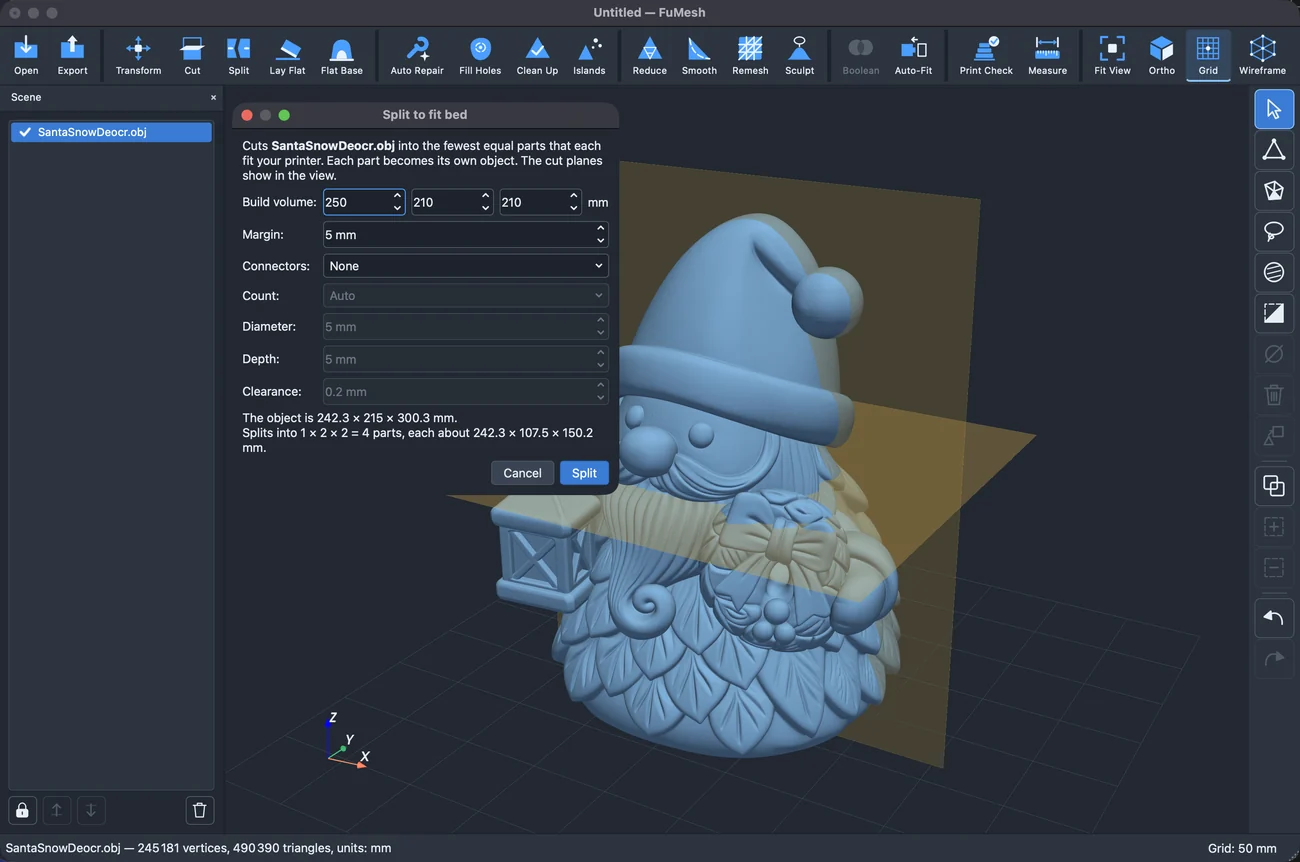
For models that are simply too big, Split to fit bed cuts them into the fewest equal parts that fit your printer, with connectors between the parts if you want them.
Scans with their colours, and more files
Textured scans used to open grey. Now an OBJ with its material file, or a GLB from a phone scanning app, shows its texture, and FuMesh keeps it through the edits that can keep it and asks before one that can’t. glTF/GLB and OFF files open, you can export every visible object to STL or OBJ in one go, and there is a command line, fumesh-cli, for converting, repairing, reducing and checking a whole folder of files without opening a window.
Making things, and sculpting them
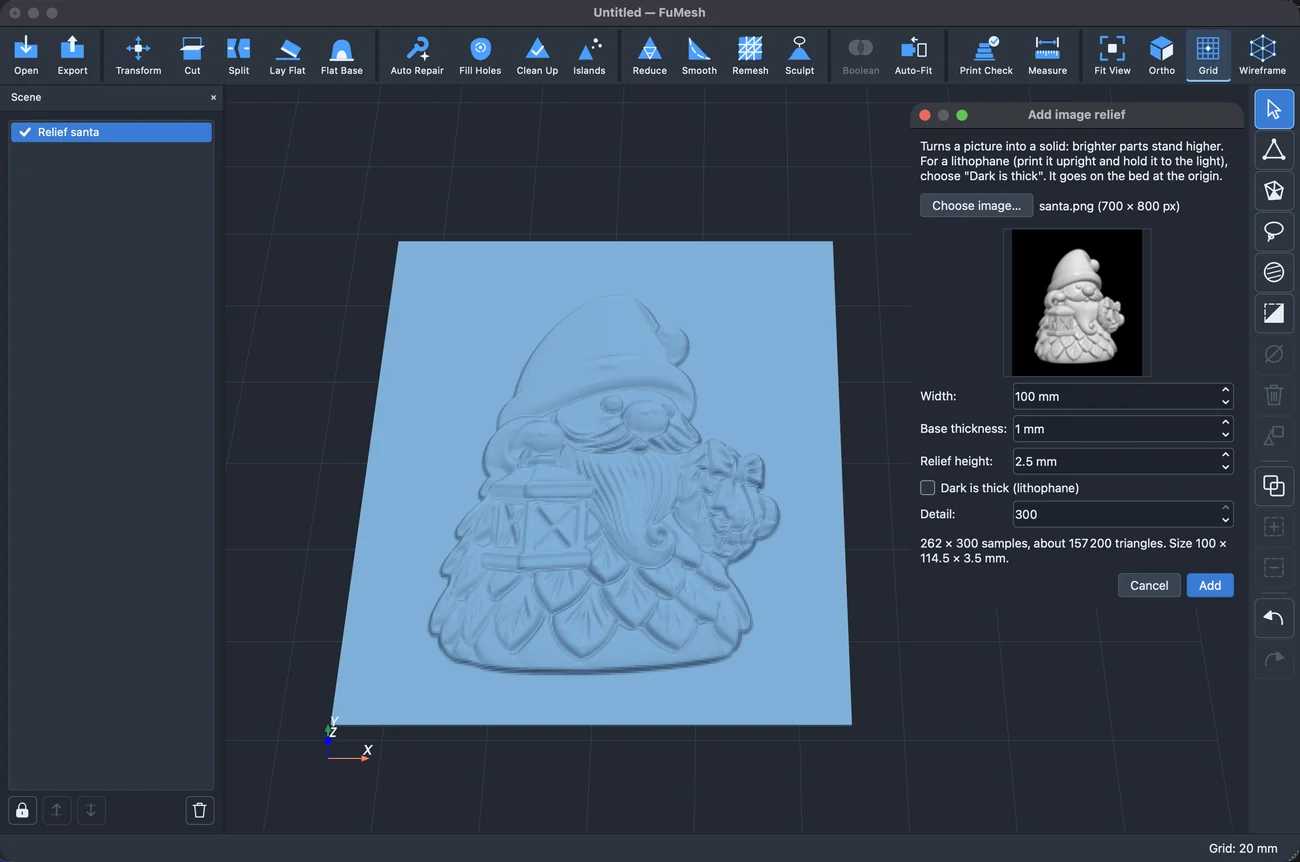
There are six more basic shapes, from a cone to a torus, and Pattern makes rows or circles of copies. Add image relief turns a picture into a solid tile, brighter is higher, and with “Dark is thick” it becomes a lithophane that shows the picture when you hold it up to the light.
Sculpting got a Paint brush for colours, Add detail for coarse meshes (it adds triangles under the brush as you go, so you don’t have to remesh first), a key for every brush, and large brushes are about twice as fast.
Easier every day
Much of the review was about small things that add up. The menus are regrouped (Modify, Repair, Optimize, Sculpt, Combine, Inspect), each tool has one name, and every tool panel now works the same way: the preview is on, and the buttons are always Cancel or Done and Apply. The view turns like a slicer’s, so the bed never tips over. Esc closes the open tool before it touches your selection. Opening several files asks for the units once. Shortcuts work on Norwegian and German keyboards, and numbers are written 2 338 instead of 2,338.
There is a light theme too, and FuMesh follows the system’s light or dark setting, with a new Preferences window for the rest. The user guide now opens inside the app, works offline, and has new pictures throughout.
Under the hood, opening a big file, Remesh, Split and Merge no longer freeze the window, Undo keeps more steps on large scans, and FuMesh writes a log on your own computer that helps find bugs.
How it was built
As before, the code was written with Claude. The review came first, then the fixes in a few rounds, each area worked on in parallel and then put together. Every round ran the full test suite on macOS, Linux and Windows, now over two thousand tests, and those runs caught real bugs before they reached you, such as textures that went missing from OBJ files saved on Windows. Each package passed the built-in self-test. The Mac version is signed and notarized; the Windows builds are still unsigned, so Windows asks once before the first start.
It works offline, needs no account and sends nothing anywhere. It’s free and open source under the GPL. No warranty, no support promise; if it’s useful to you too, good.
For the Mac, Windows and Linux. Get it here!