
Three days after Wattbar 1.3, version 1.4 is out. It started with a friend running 1.3 on a 14-inch MacBook Pro with the base M5 chip: the battery health and cycle count just weren’t there.
Battery health on more Macs
Macs don’t all report their battery data the same way, and Wattbar only looked for it in one place. Now it looks in all the places it can be, and the simple menu shows the health and cycles too, not only the panel. If a Mac really doesn’t report them, Wattbar says unavailable instead of quietly leaving the line out.
CPU frequency
Wattbar can now show how fast the processor runs, in GHz, for each group of cores: efficiency, performance and, on the newest Macs, super cores. It’s in the panel and the simple menu, and can go in the menu bar as well. It’s off by default, switched on in Settings, and needs no administrator access. Groups with nothing to do say Idle.
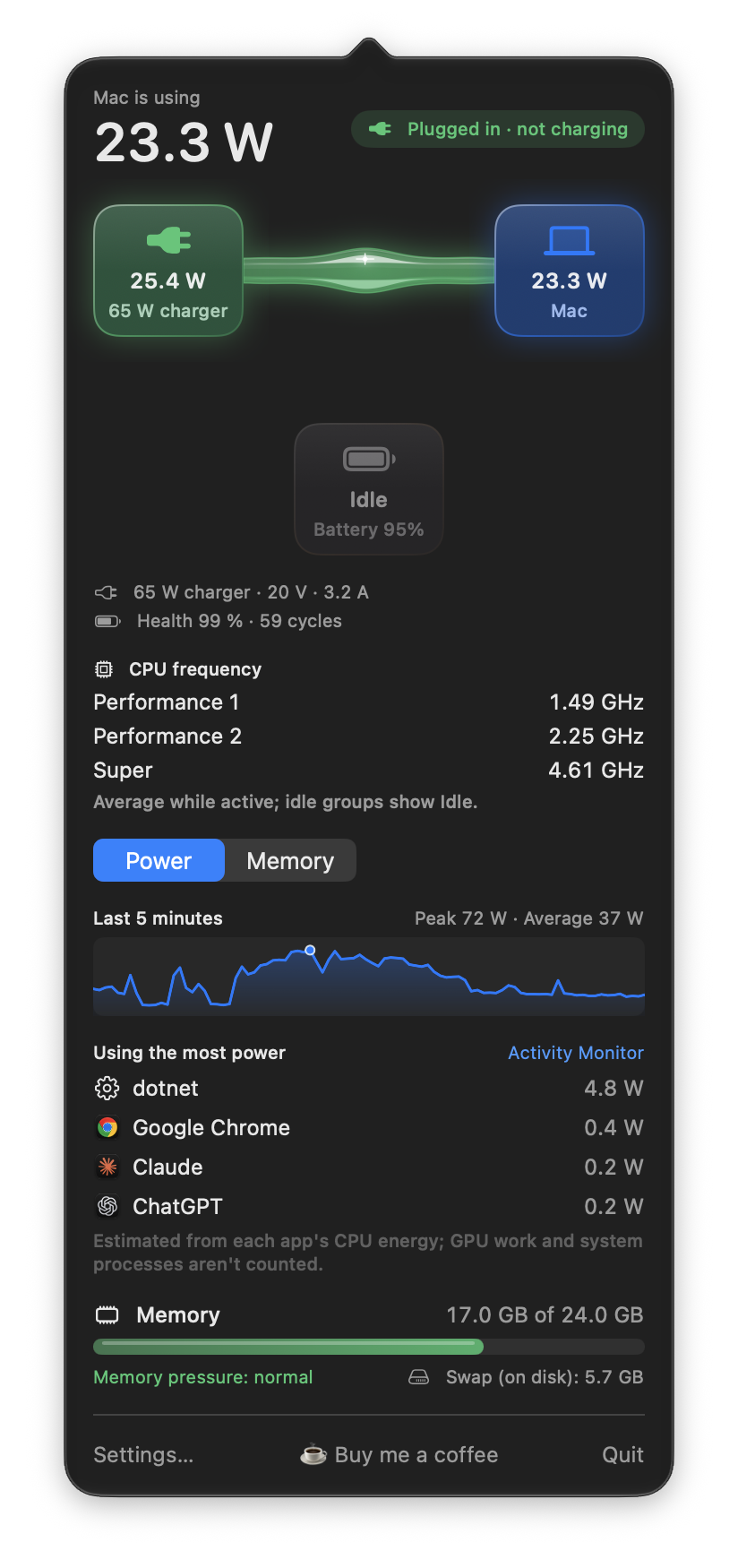
The numbers come from interfaces Apple doesn’t document, so a macOS update could change them. If a Mac doesn’t report them, Wattbar says Unavailable rather than guessing.
Two readings in the space of one
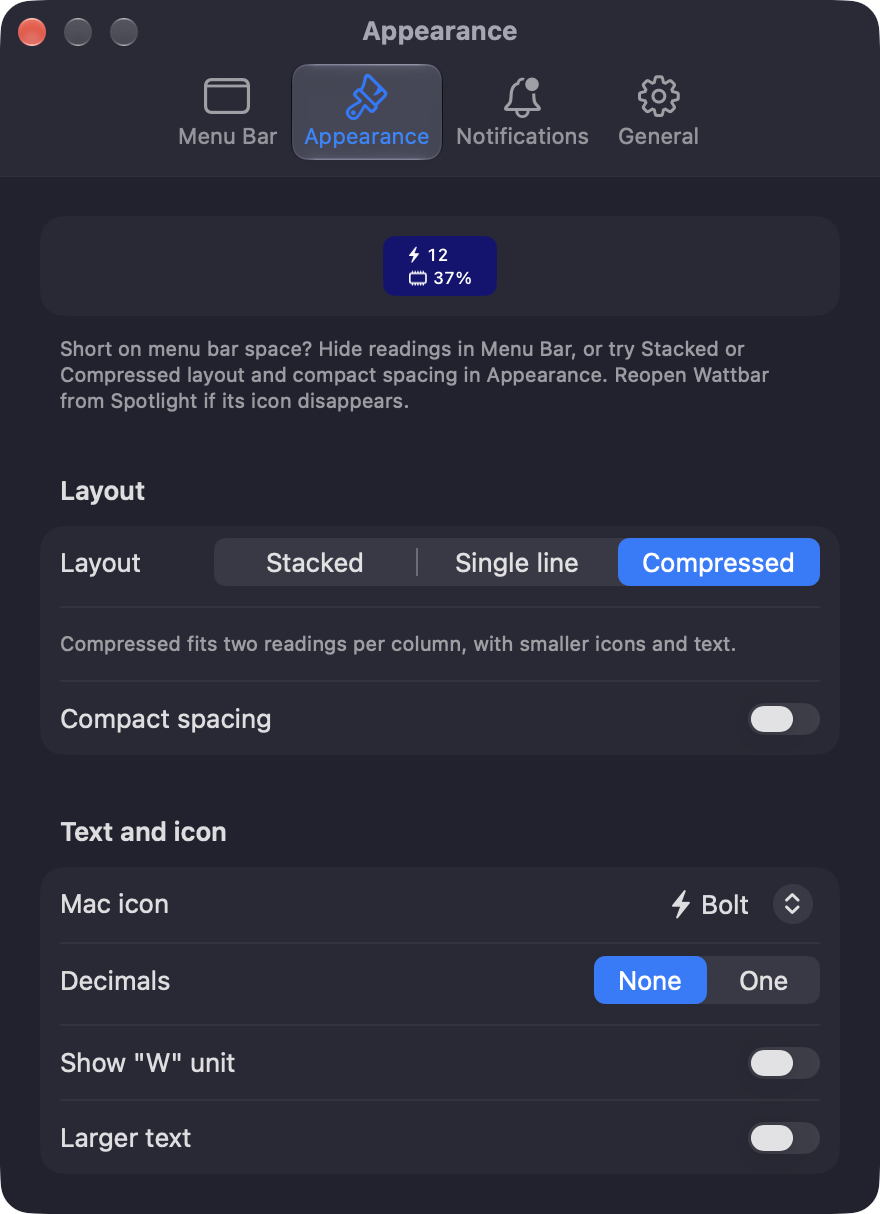
The menu bar next to the notch fills up fast. The new Compressed layout puts two readings on top of each other, with smaller icons and text, so watts and memory take the width of one.

Settings in four tabs
Settings now has four tabs: Menu Bar, Appearance, Notifications and General. The window fits its contents without a scroll bar when there’s room, grows when more options appear, and closes when you click somewhere else.
And a round of fixes
- The panel scrolls instead of running off a small screen.
- Switching on Battery charged when the battery is already at the limit no longer sends the notification at once.
- Right after unplugging, the panel no longer shows the old “Full in …” time for a few seconds.
- The app list follows a program that starts another program in its place.
- CPU frequency is read away from the interface, so the panel stays smooth, and nothing is read while no frequency is shown.
The full list is in the changelog on the page.
Get it
Version 1.4 is free, for Apple silicon Macs with macOS 13 or later, signed and notarized by Apple. Get it here!