FuMesh is the mesh editor I made for fixing 3D models and getting them ready to print. Version 0.7.0 is out for Mac, Windows and Linux, still as early access. It has one new tool, Advanced hollow.
Early access. It works on my models and prints, but expect rough edges. Keep a copy of your original files. The Mac version needs macOS 26 or newer.
Advanced hollow
The plain Hollow tool empties a model and leaves it closed, with drain holes if you want them. I wanted more control: a model open at the bottom, at the top or both, and openings in the wall where I choose. A house with open windows is one example; a holder that is open on top is another.
Modify → Advanced hollow… does that:
- You set the wall thickness as a minimum. With Smooth inside on, the inner surface is evened out, and the wall gets thicker where that takes it.
- Open bottom and open top each have a cutting plane you can drag. The plane cuts the whole model.
- Click a face, such as a window pane, to remove it. The wall is opened there and the frame round it stays.
- Find similar marks the other faces like the one you clicked, so you don’t have to click forty panes one by one.
- Or draw the opening as a circle, a rectangle or freehand. It is cut along the view, through the wall and into the hollow.
- The panel shows how wide each open end is and the narrowest room inside, so you can see what fits.
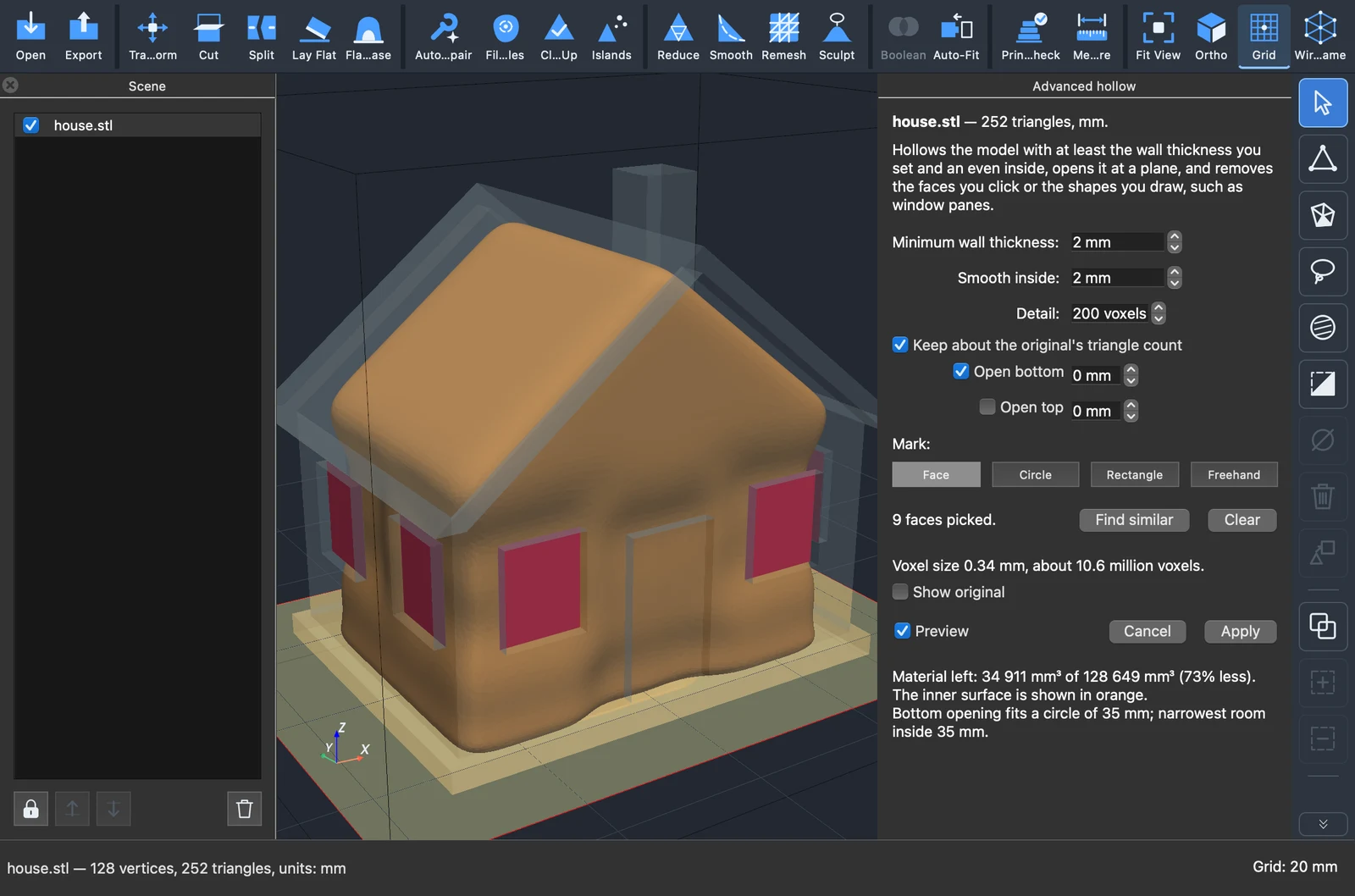
The preview shows what Apply will do, and Apply is one undo step.
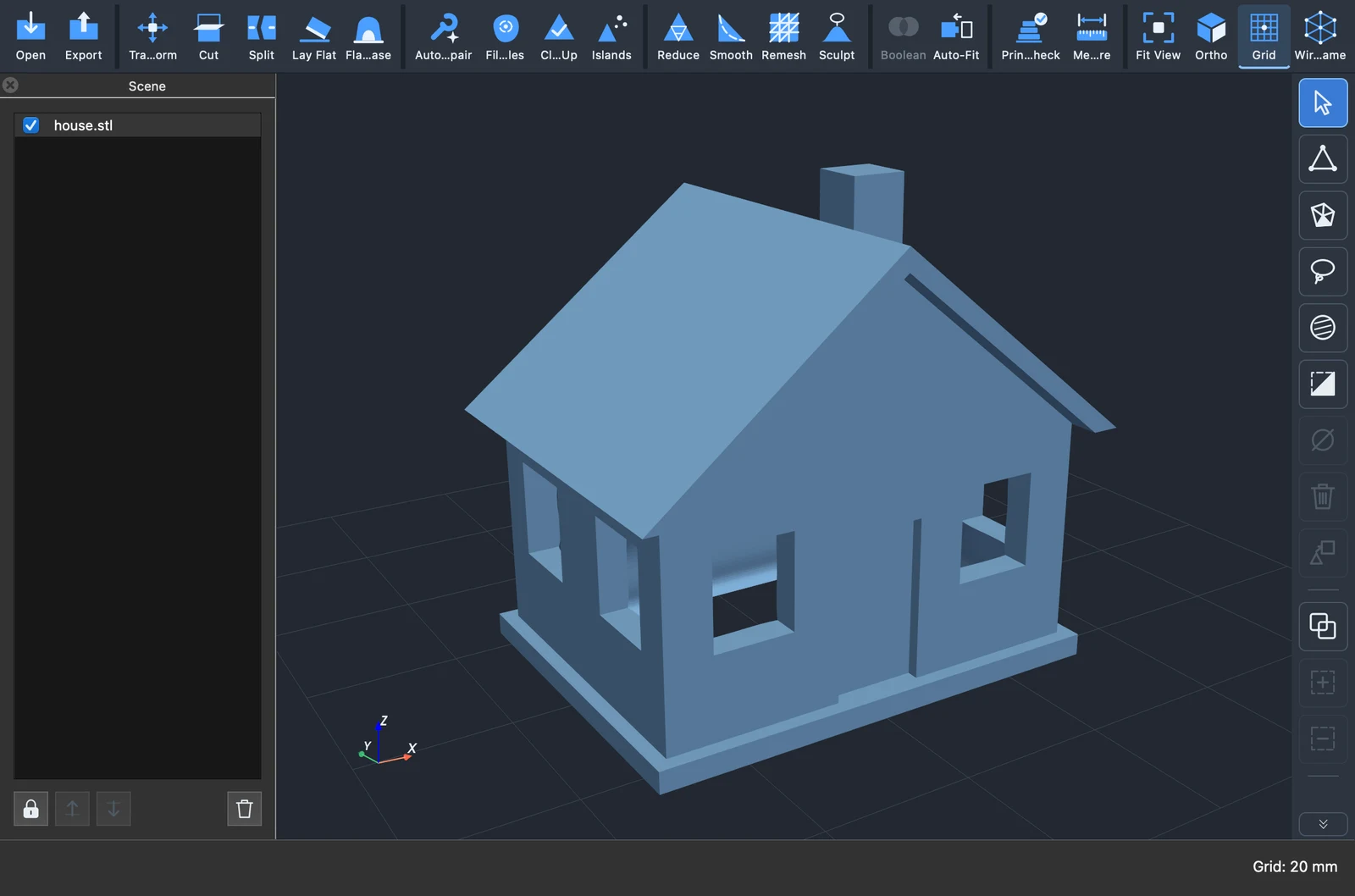
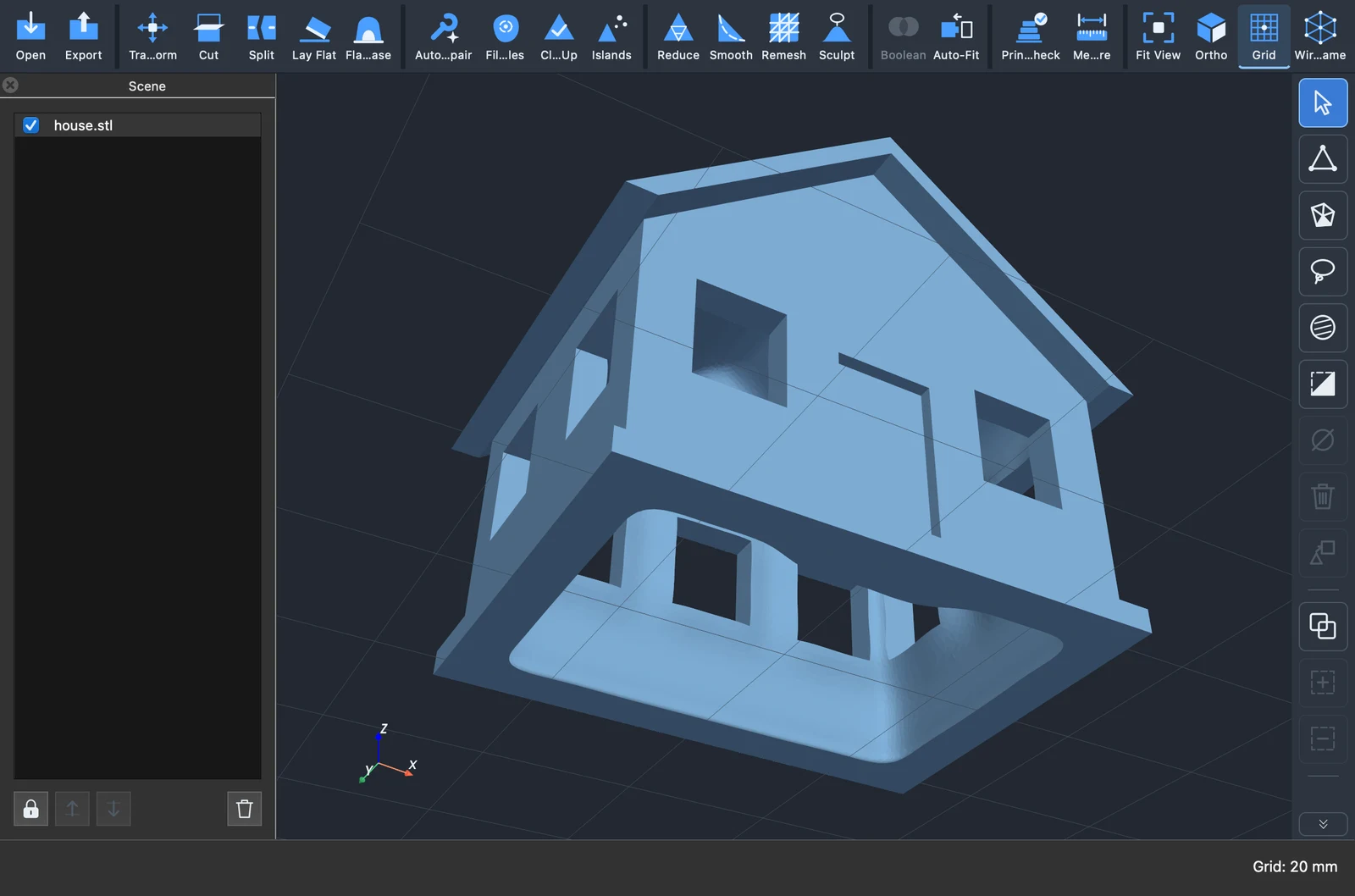
Download
FuMesh 0.7.0 is free, with no account: stigern.net/software/fumesh. The full list of changes is in the changelog on that page.