FuMesh is the mesh editor I made for fixing 3D models and getting them ready to print. Version 0.9.8 is out for Mac, Windows and Linux, still as early access. It has a new tool that rebuilds a model from its better half, four new things to measure, new joints for cutting a model into parts, glTF export, and more for the command line.
Make symmetric
A scan often comes out better on one side than the other: one cheek is noisy, an ear is missing, the side away from the scanner has holes. Modify → Make symmetric… keeps the good side, mirrors it onto the other and joins the two halves into one solid along the plane between them.
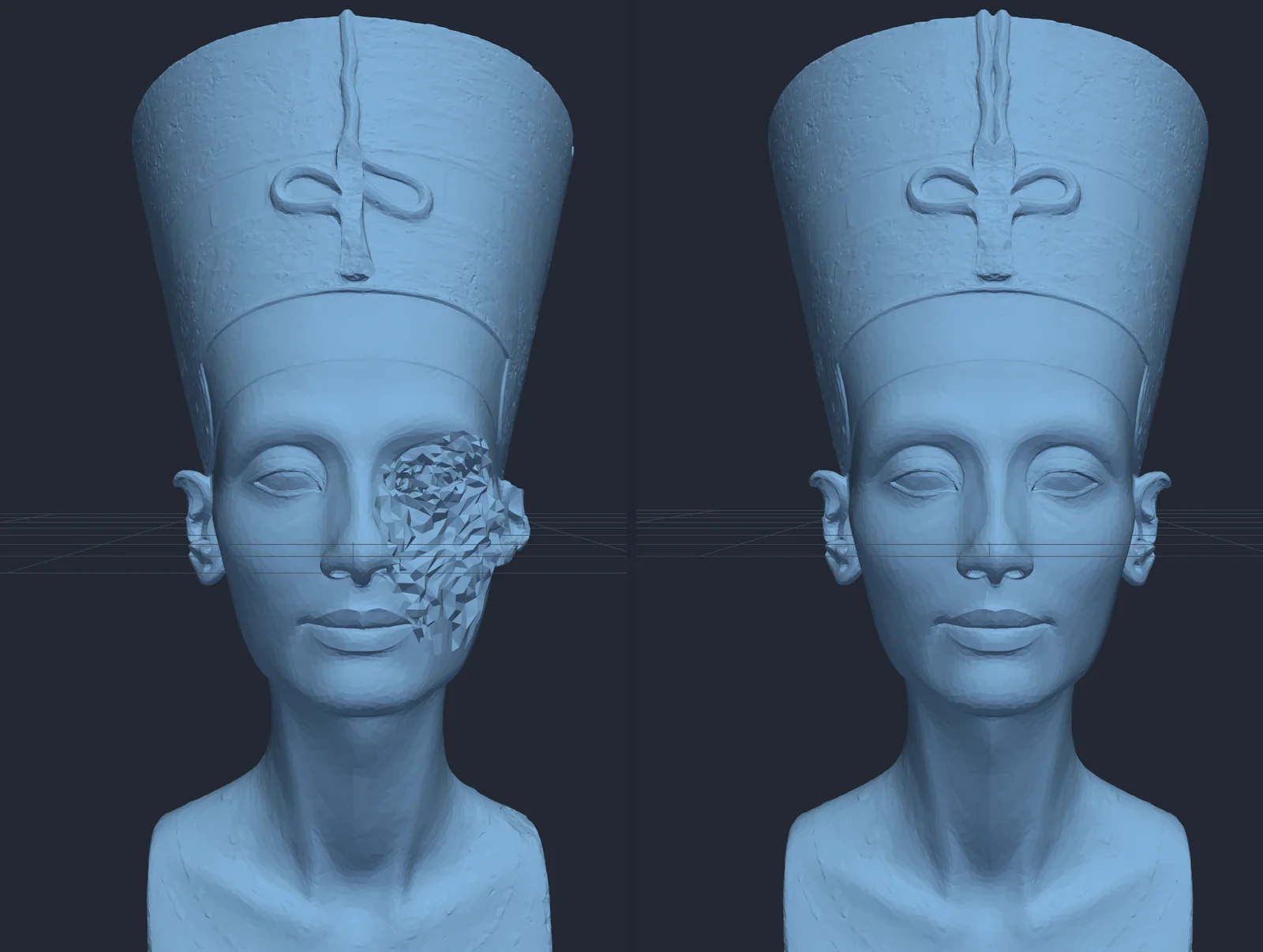
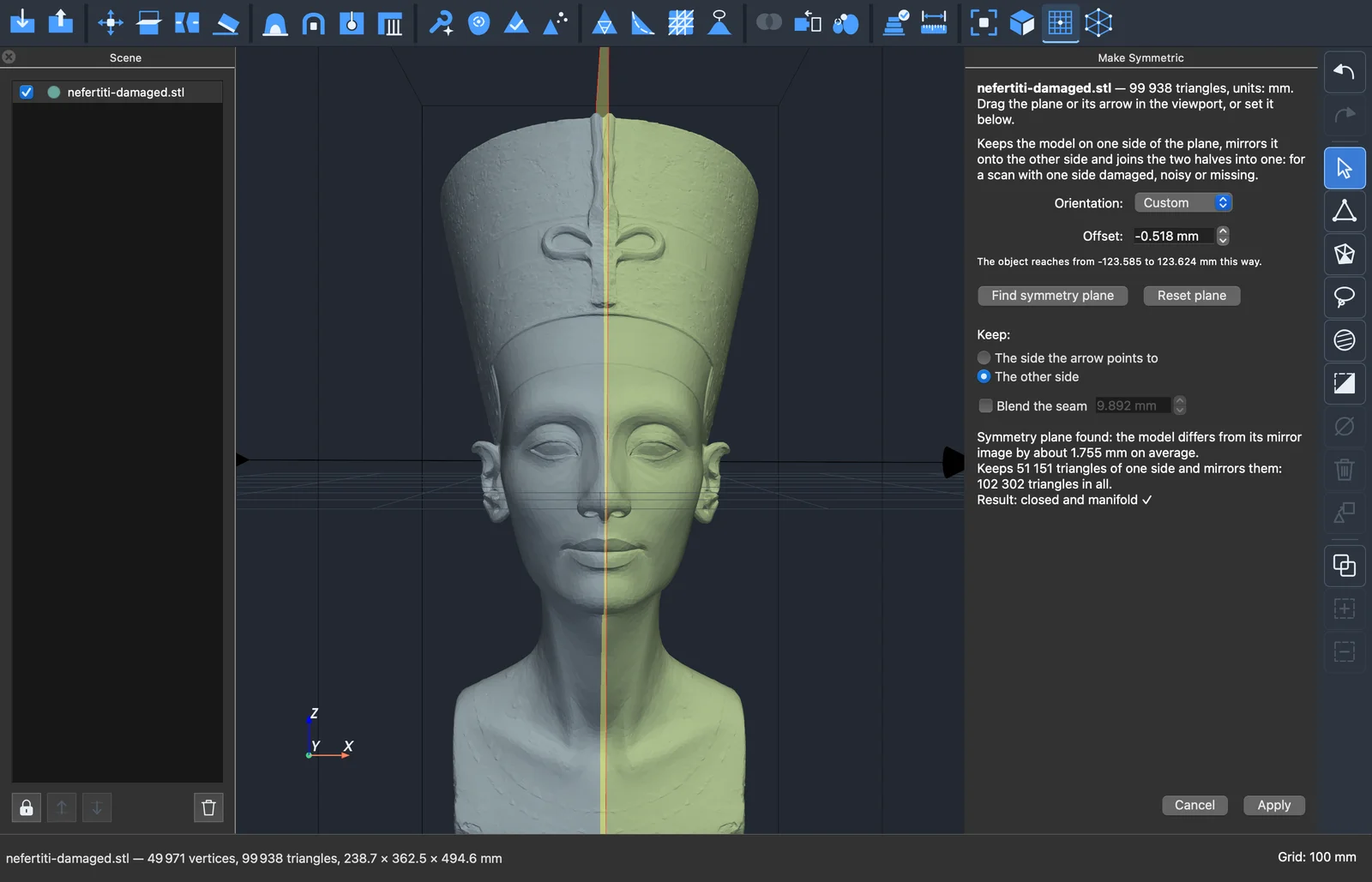
You can drag the plane in the view, or press Find symmetry plane and FuMesh puts it where the model is most nearly its own mirror image. It also says how far apart the two sides are on average. The preview shows the side you keep and, in green, its mirror image in place of the side that goes. Blend the seam smooths the model near the plane so the halves meet without a crease. A closed model stays one closed solid, and colours, UVs and textures come along.
Early access. It works on my models and prints, but expect rough edges. Keep a copy of your original files. The Mac version needs macOS 26 or newer.
Joints for cuts and splits
Plane cut and Split to fit bed could already add round pegs and dowel holes so the parts line up. Now there are more kinds to choose from:
- Square, hexagonal and D-shaped pegs that can’t turn. A D-shaped peg also lets the parts go together one way only.
- Magnet pockets facing each other in both parts, sized for your magnets.
- Dovetails: a tongue on one part and a slot in the other. You slide the parts together and they hold without glue.
- Screws from M2 to M5, with a hole for a heat-set insert or a nut trap on the other side. The holes, heads and nuts are real ISO sizes, and the panel says how long a screw to buy.
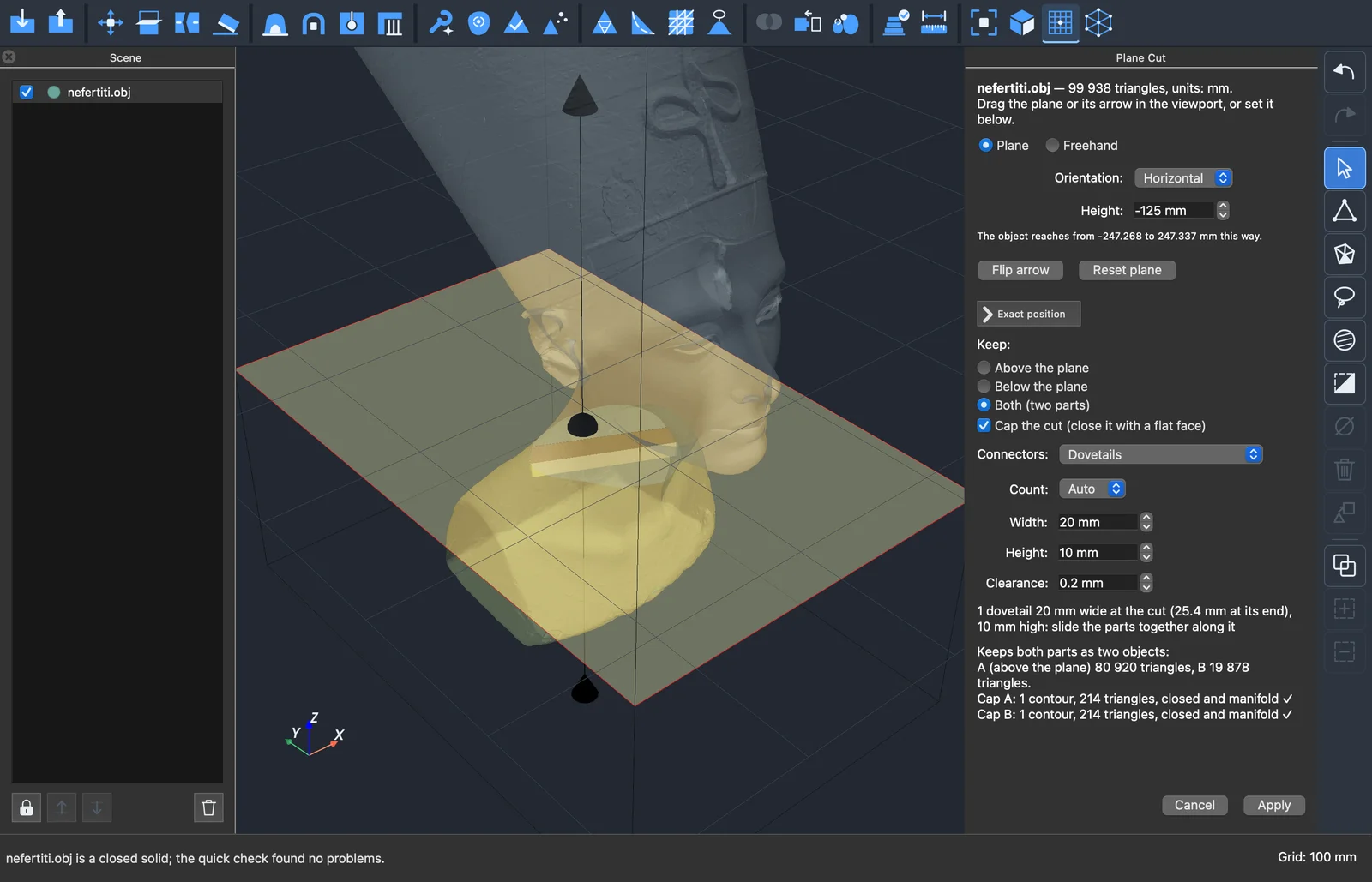
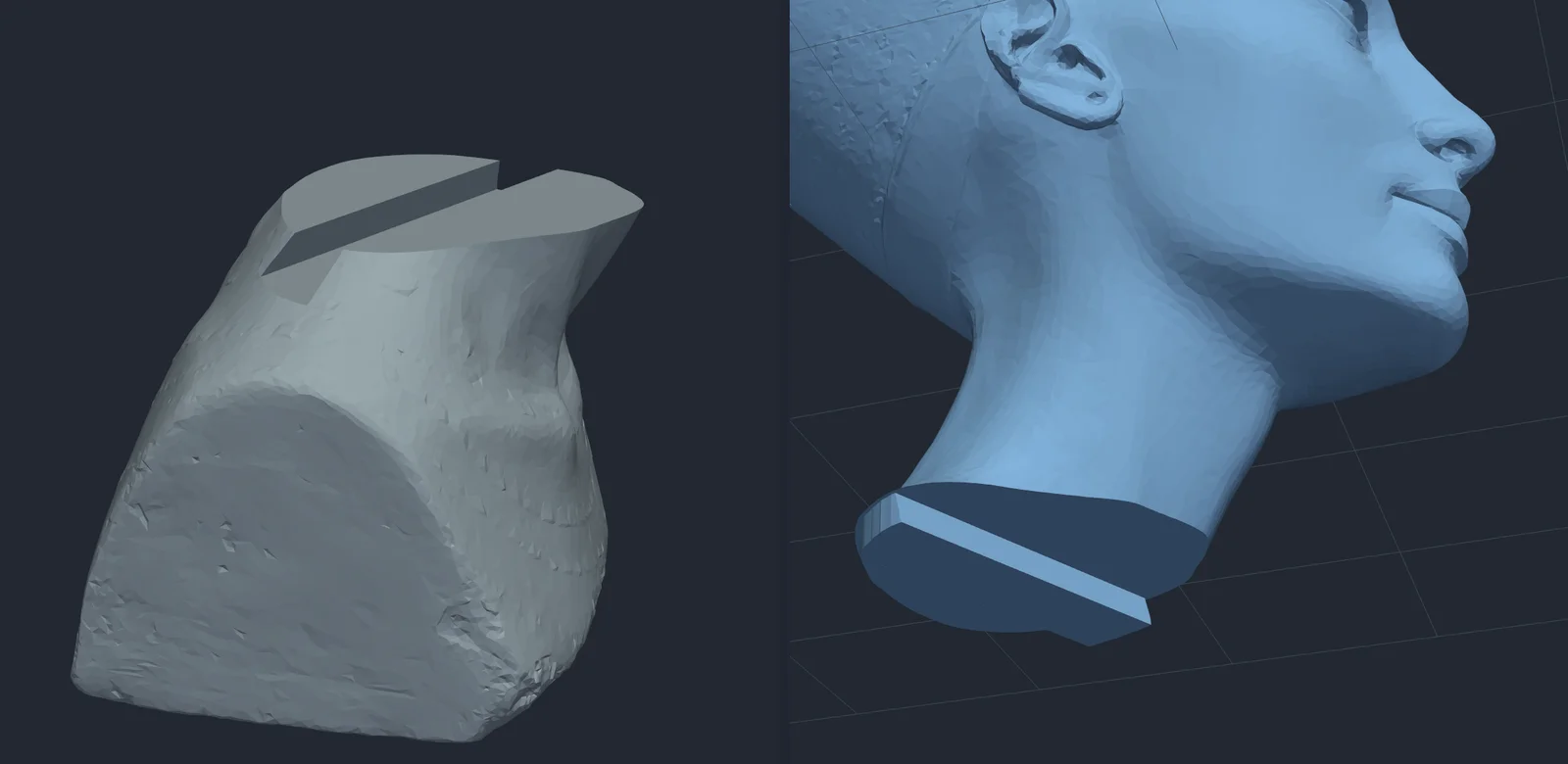
The joints only go where their holes stay inside the model with a wall left round them. FuMesh says when a cut face is too small, and for pegs and dovetails it suggests the largest size that fits. In Split to fit bed, all the dovetails slide the same way, so the parts can still be put together.
More to measure
Measure used to give the distance between two points. Now it can also measure:
- the angle at a corner, from three points;
- the angle between two flat faces, and how far apart they are when they’re parallel, such as a wall’s thickness;
- the diameter of a hole, a peg or a boss from one click on its wall, with its axis drawn in the view. Part of a circle works too, such as a rounded corner;
- the width, height and area of a cross-section where the Clip view plane cuts the model. The numbers follow the plane as you move it.
glTF export and the command line
FuMesh could already open glTF files, and now it can write them too: .glb or .gltf, with vertex colours, UVs and textures. That suits a web page, a game engine or another 3D program. glTF files with several objects also open in the right order now; they used to come in reversed.
fumesh-cli works on files without opening a window. It can now hollow, orient, split to fit a printer with any of the new joints, remesh and scale:
fumesh-cli hollow bust.stl bust-hollow.stl --wall 3
fumesh-cli orient figure.stl figure-up.stl
fumesh-cli split bust.stl bust.stl --volume 256x256x256 --connectors dovetails
fumesh-cli remesh scan.stl scan-even.stl --edge 1.5
fumesh-cli scale part.stl part-big.stl --factor 2
The new texts are in all seven languages, as machine translations like the rest.
It works offline, needs no account and sends nothing anywhere. It’s free and open source under the GPL. No warranty, no support promise; if it’s useful to you too, good.
For the Mac, Windows and Linux. Get it here!