
VisualVibe is my free visual IDE for Python in the spirit of classic Visual Basic: you draw a window in a form designer, double-click a button to write its code, and press Run. On top of that it has an AI coding assistant that talks to a model server on your own network, so nothing leaves the house.
Version 0.8.2 is out for macOS, Windows and Linux, and I wanted to see how far it gets on a small, real project with only a local model. So this post builds a simple 2D tower defence game in Python (tower defense, for American readers) from an empty project, with PySide6 for the window and the drawing, and then lets AI Enhance work on it for 45 minutes.
How this was made: I had Claude, an AI assistant, operate VisualVibe on my Mac and write up what happened. Every prompt, number and screenshot below is from that one session, including the parts that did not work. In two pictures the server’s address in the chat header is painted over. The model doing the actual coding was “Phaiton” (paiton-flashnext-vision), a vision-capable reasoning model served by vLLM on a machine on my network.
1. A new Python project from a template
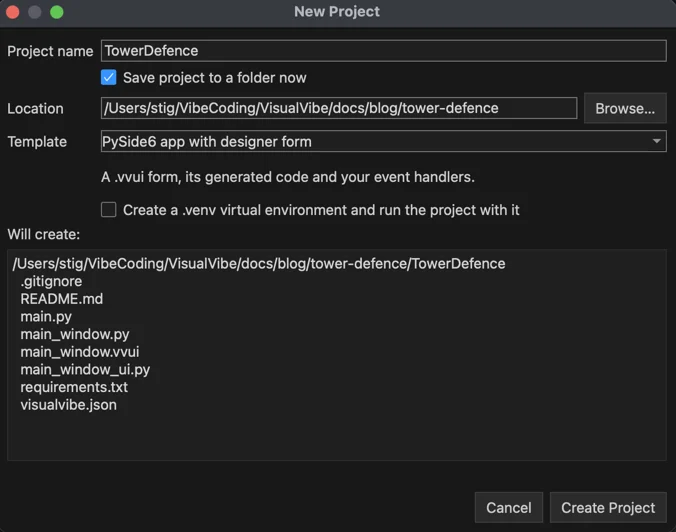
File → New Project, the name TowerDefence, and the template PySide6 app with designer form. The dialog lists the files it will create before it creates them.
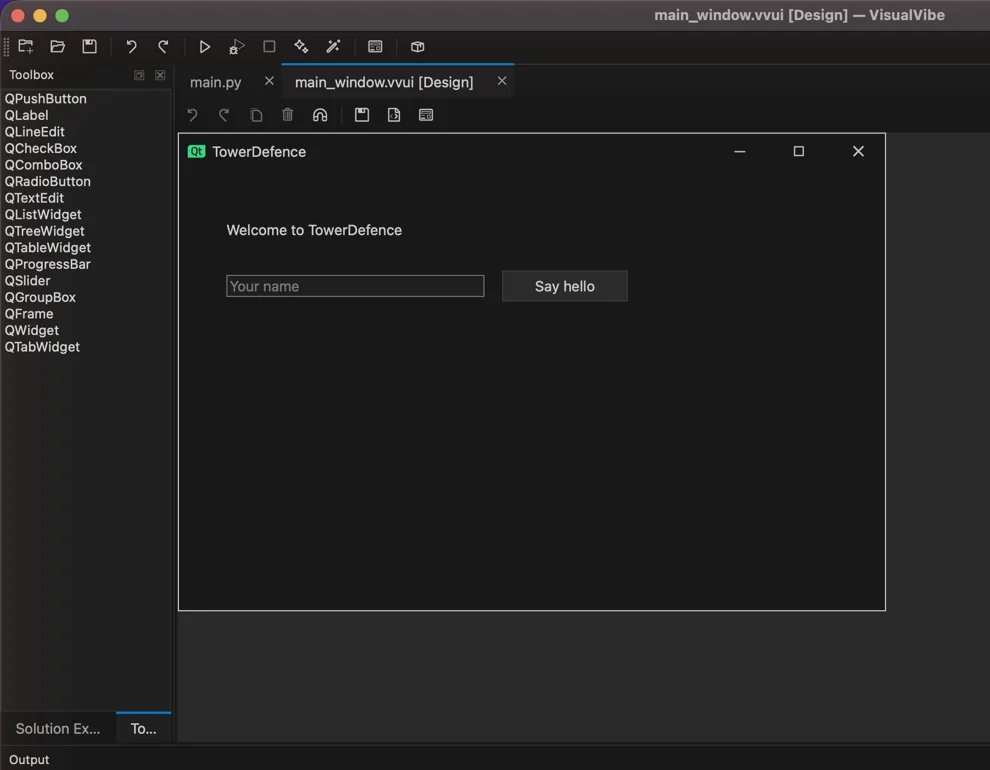
The template is a tiny working program: a form with a label, a text field and a Say hello button, the generated main_window_ui.py, and main_window.py for my own code.
2. The game window, designed by the AI in the form designer
With a form tab open, the chat switches to Design form mode. I described the window I wanted:
Turn this form into the window for a 2D tower defence game, 900 x 600. Remove the greeting controls. On the left put a large QFrame named game_area (640 x 560) where the game board will be drawn. On the right a side panel with the labels gold_label “Gold: 100”, lives_label “Lives: 20” and wave_label “Wave: 0”, a group box “Towers” with two radio buttons basic_tower_radio “Basic tower (50)” (checked) and sniper_tower_radio “Sniper tower (100)”, a button start_wave_button “Start wave” with its clicked event connected, and a status_label at the bottom.
The answer came back in 11.4 seconds (1,216 tokens at about 106 tokens per second). VisualVibe checks every edit on a copy of the form first and then shows a review with the form before and after: 10 controls added, 3 removed, window resized. Nothing is applied until you say so.
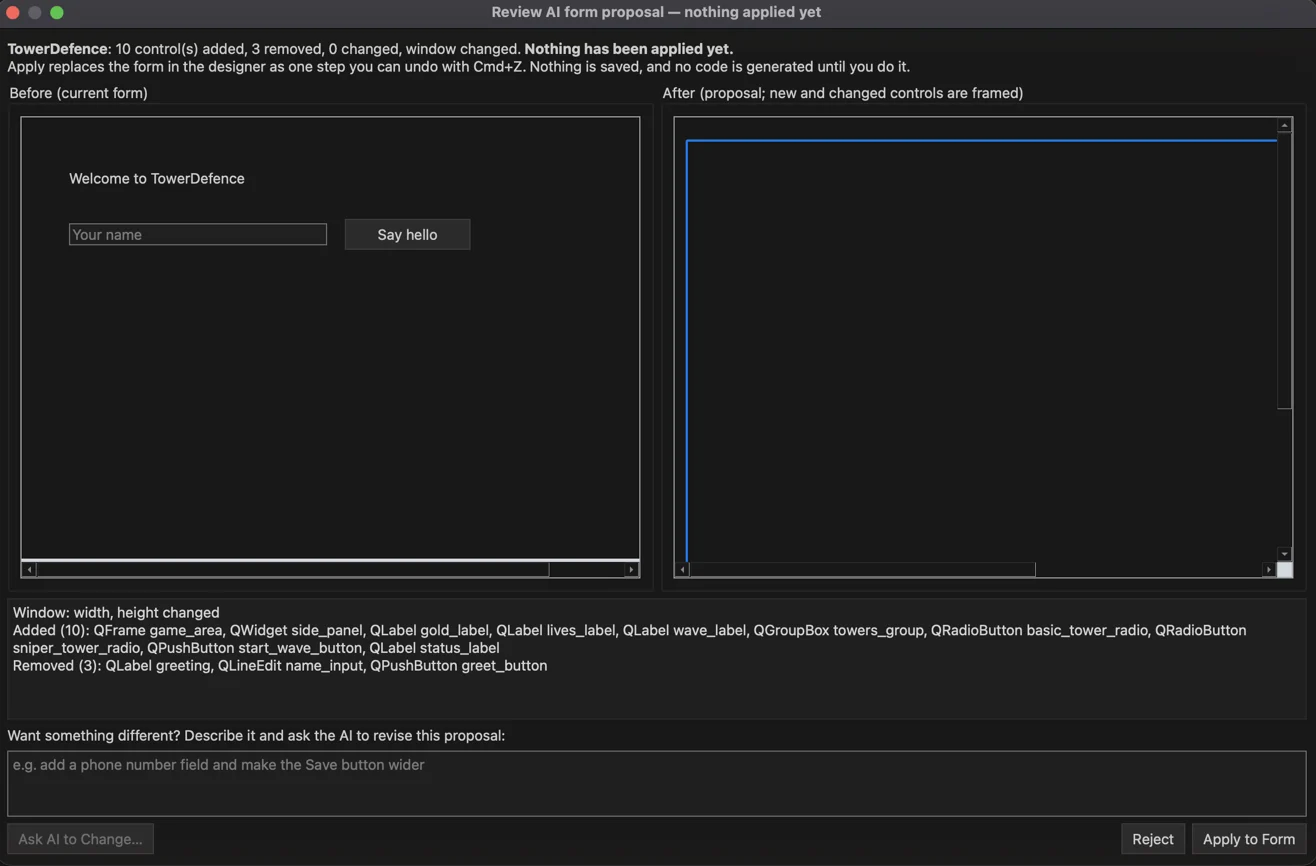
After Apply to Form the result is an ordinary form in the designer. Every control can be selected, moved and edited in Properties, and one Undo would bring the old form back. Save form and Generate code then rewrote main_window_ui.py.
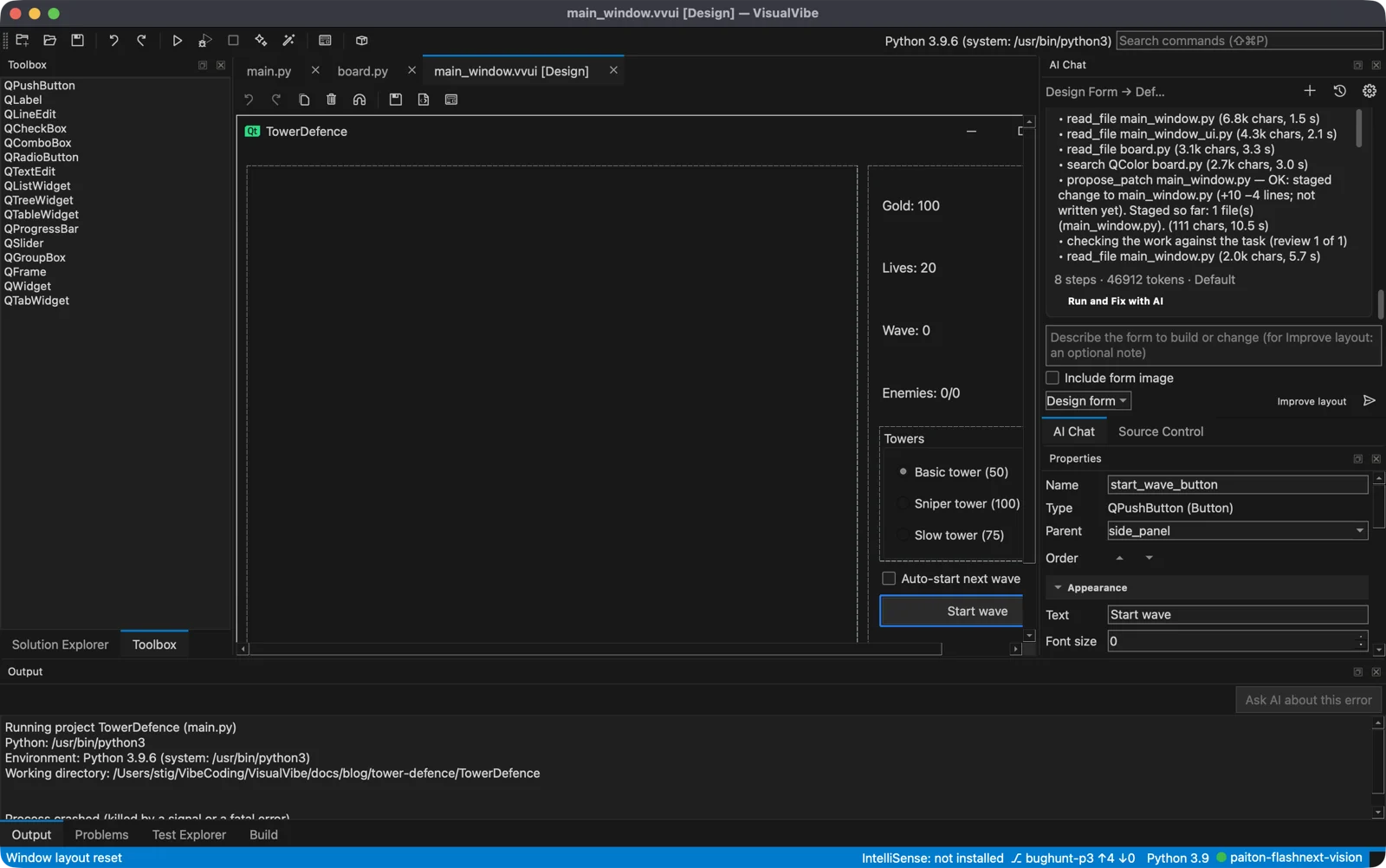
This picture was taken at the end of the session, so the side panel also shows what AI Enhance added later: the enemy counter, the slow tower and the auto-start box. The model’s own proposal had the three labels, two towers and the button.
3. The tower defence game, written by the AI agent
For the game itself I switched the chat to Agent mode with the effort set to Thorough, and asked:
Write the tower defence game for this window. Add a new file board.py with a GameBoard widget (QWidget, painted with QPainter, a QTimer game loop) and put it inside the game_area frame from main_window.py. The board is a 16 x 14 grid of 40 px cells with a fixed winding path from the left edge to the right edge. Start wave sends a wave of enemies along the path, each wave a little bigger and tougher. Clicking an empty cell that is not on the path builds the tower chosen with the radio buttons if there is enough gold (basic 50, sniper 100: longer range, more damage, slower). Towers shoot the nearest enemy in range, a kill gives gold, an enemy that reaches the end costs a life, and at 0 lives the game is over. Keep gold_label, lives_label, wave_label and status_label up to date. Use only PySide6 and the standard library.
The agent can read and search the project and propose changes, but it cannot run anything, and it writes nothing while it works. Each step shows up in the chat.
About two minutes later it was done: 8 steps and 57,990 tokens. It read the two form files, wrote a 367-line board.py, patched main_window.py, then checked its own work against the task once and made one small correction. The review shows every file’s diff before anything is written.
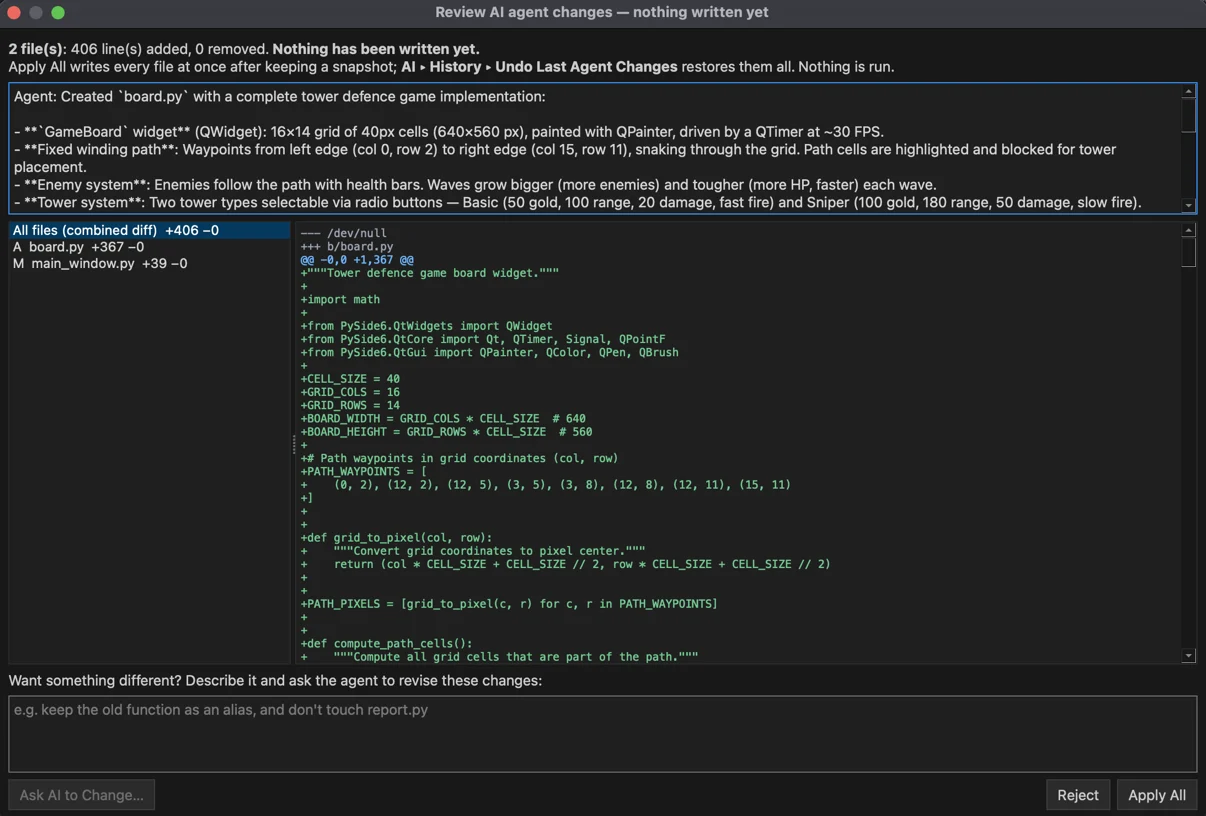
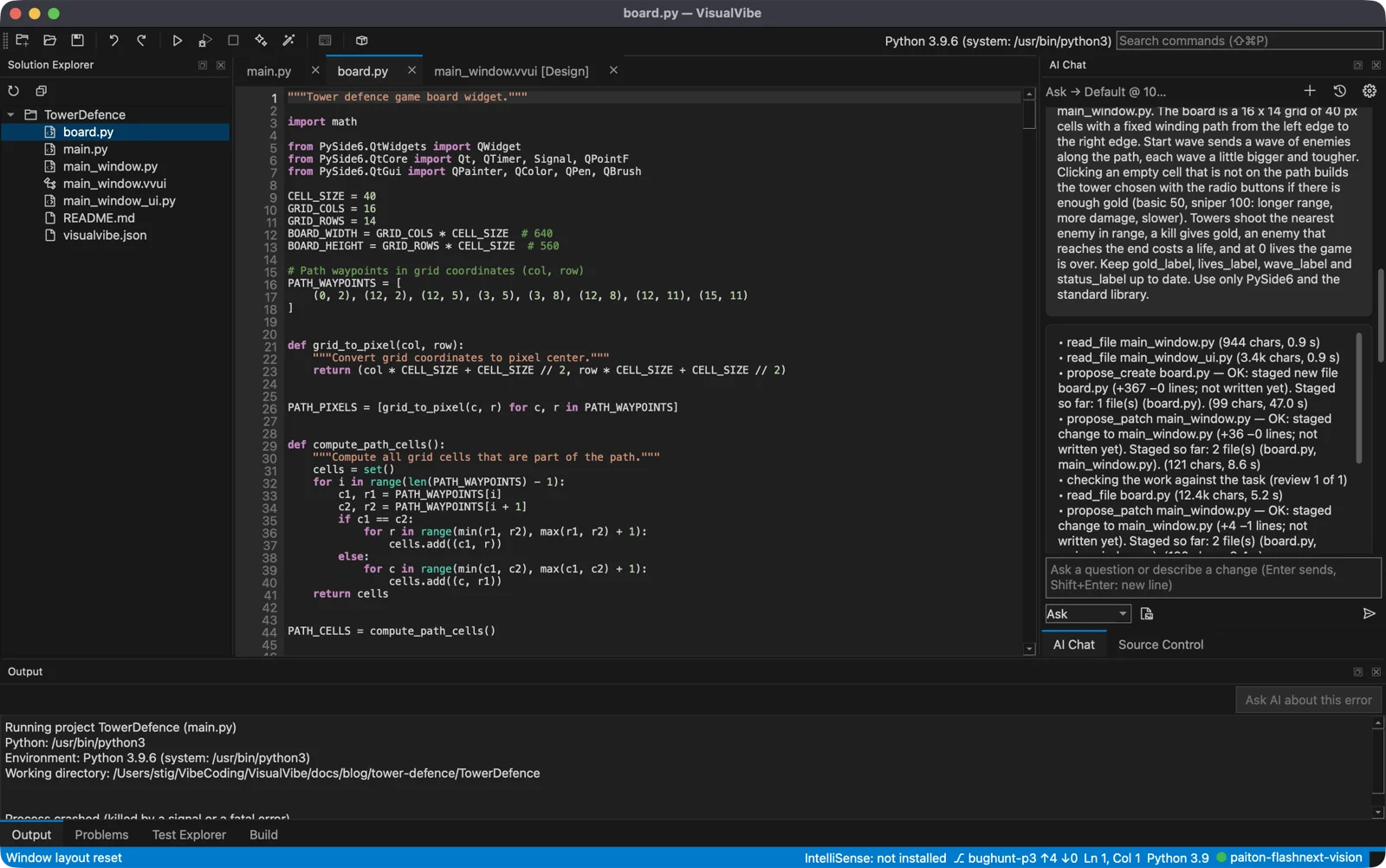
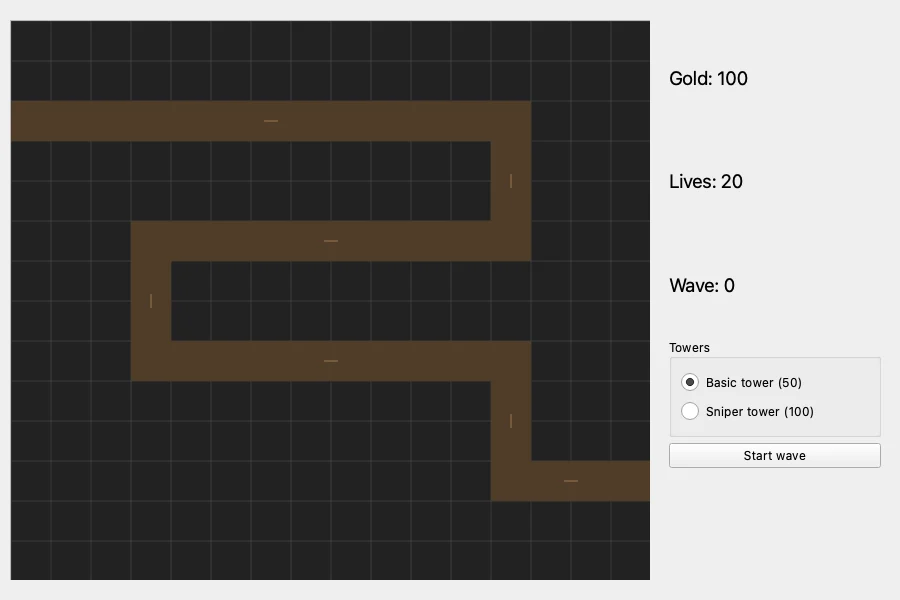
I pressed Run Project, and it worked on the first try. Towers, a winding path, enemies with health bars, gold, lives and waves:
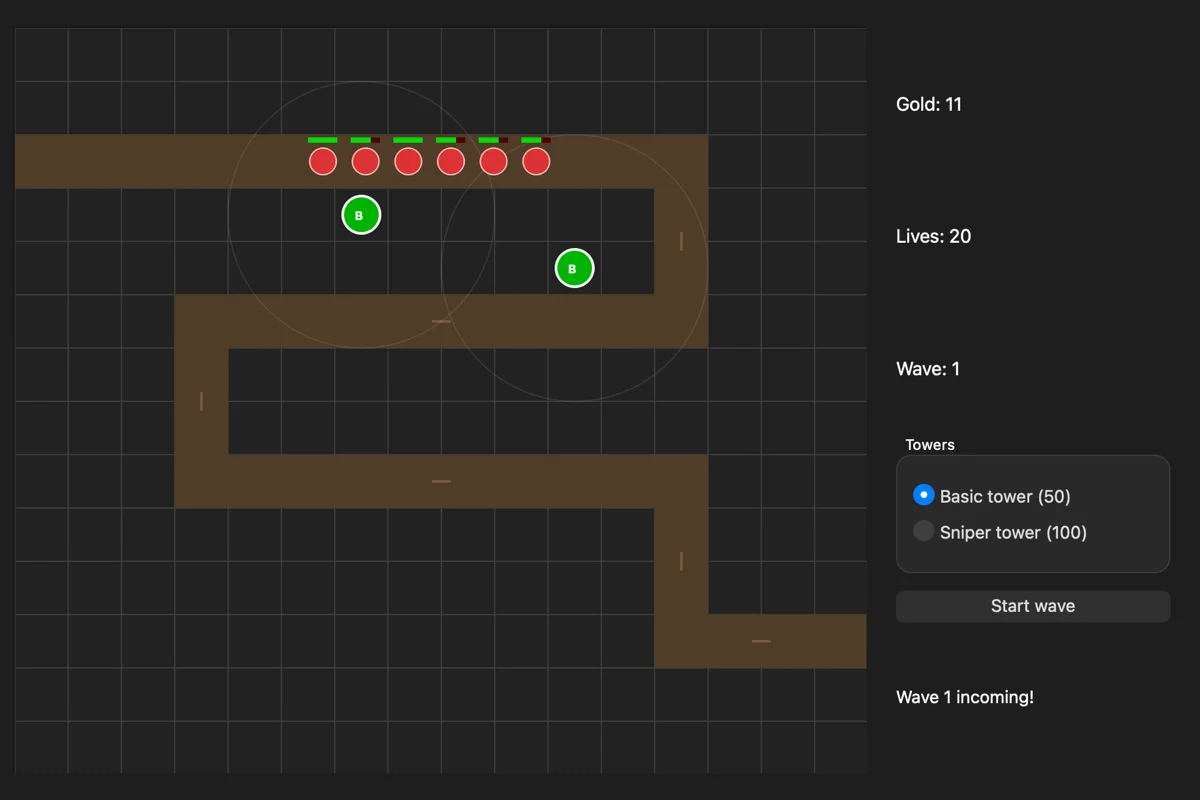
It was not perfect. The agent left the template’s old on_greet_button_clicked handler in main_window.py, pointing at controls that no longer exist. It is harmless, since nothing calls it, but it is dead code. More on that below.
A note on the game pictures: they are pictures of the game’s real window, taken by a small script that starts the project, clicks on the board the way a player would and saves what the window shows. I played it this way because the pictures had to be taken while nobody was at the keyboard.
4. AI Enhance: 45 minutes of checked improvement rounds
A working game with two towers is a start. Run → AI Enhance… takes an existing project through bounded rounds of improvement: it copies the project to a staging folder, plans changes, builds them one at a time, launches the program after each one and clicks inside it to check that old and new behaviour still work. The original project is not touched until the end.
My goal for it:
Make this tower defence game more fun and better looking: a third tower type that slows enemies, upgrading a tower by clicking it, a fast enemy type and a boss every fifth wave, visible projectiles instead of instant hits, and a side panel that shows what each tower costs and does.
I chose the More Features focus, at most 300 AI calls, 45 minutes and 60 launches, one version per change, and a second AI call reviewing each change. I also allowed it to send pictures of the game’s window to the model, so it could judge the looks.
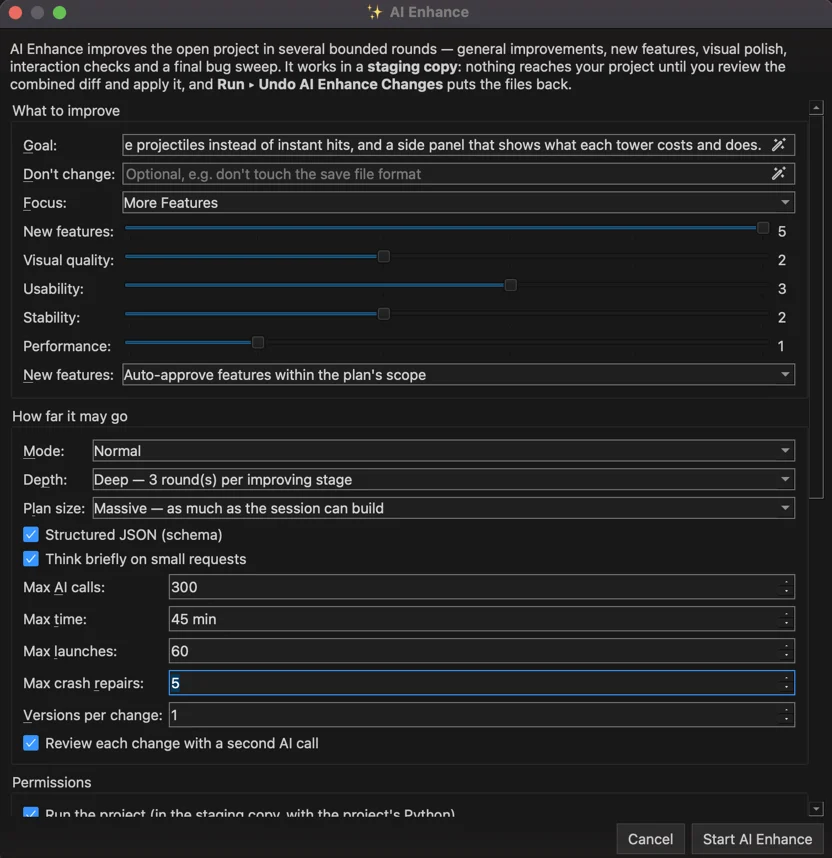
Then I left it alone. The panel shows the stages, the budget each one has, and the pictures it takes of the program along the way.
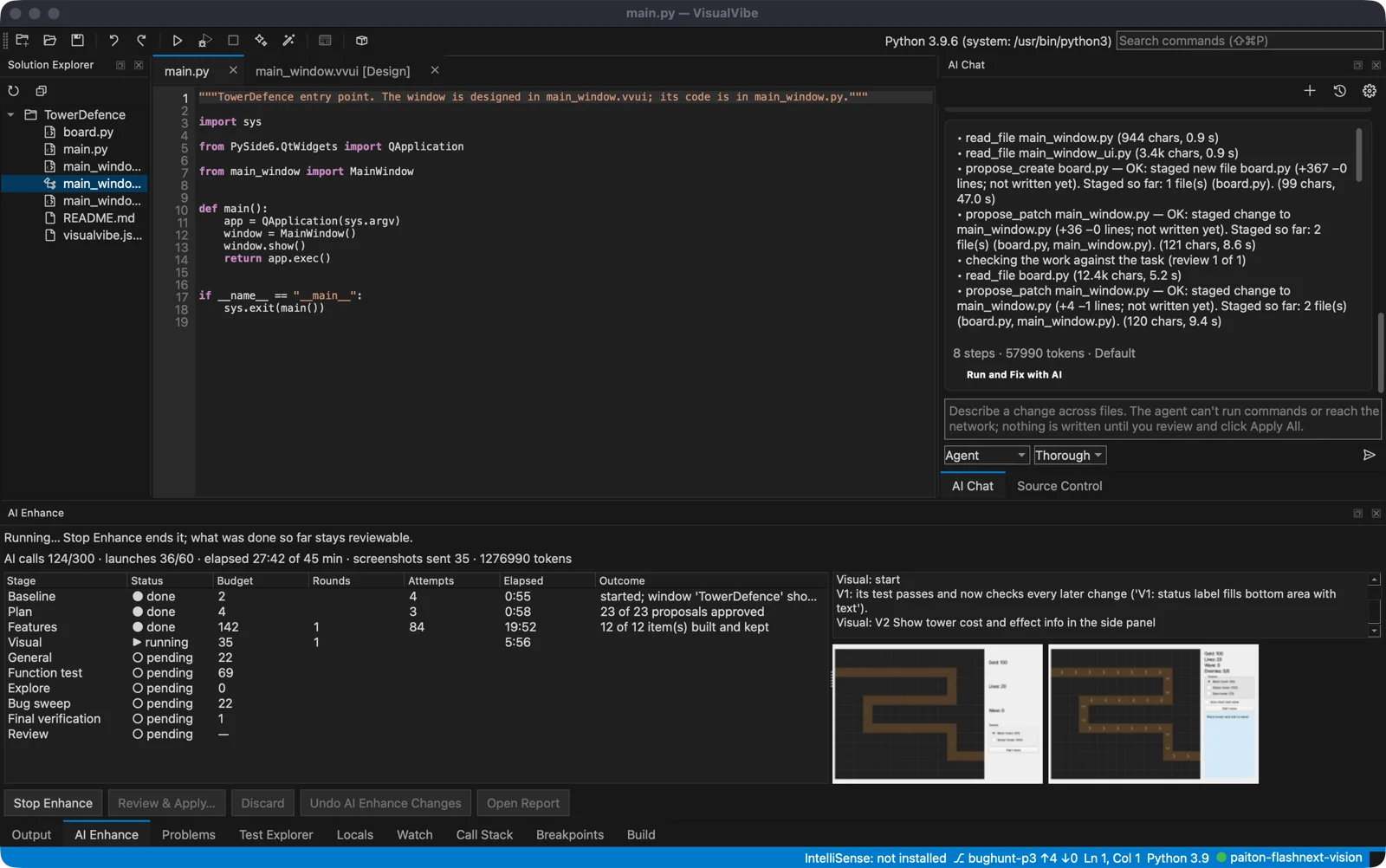
What it did
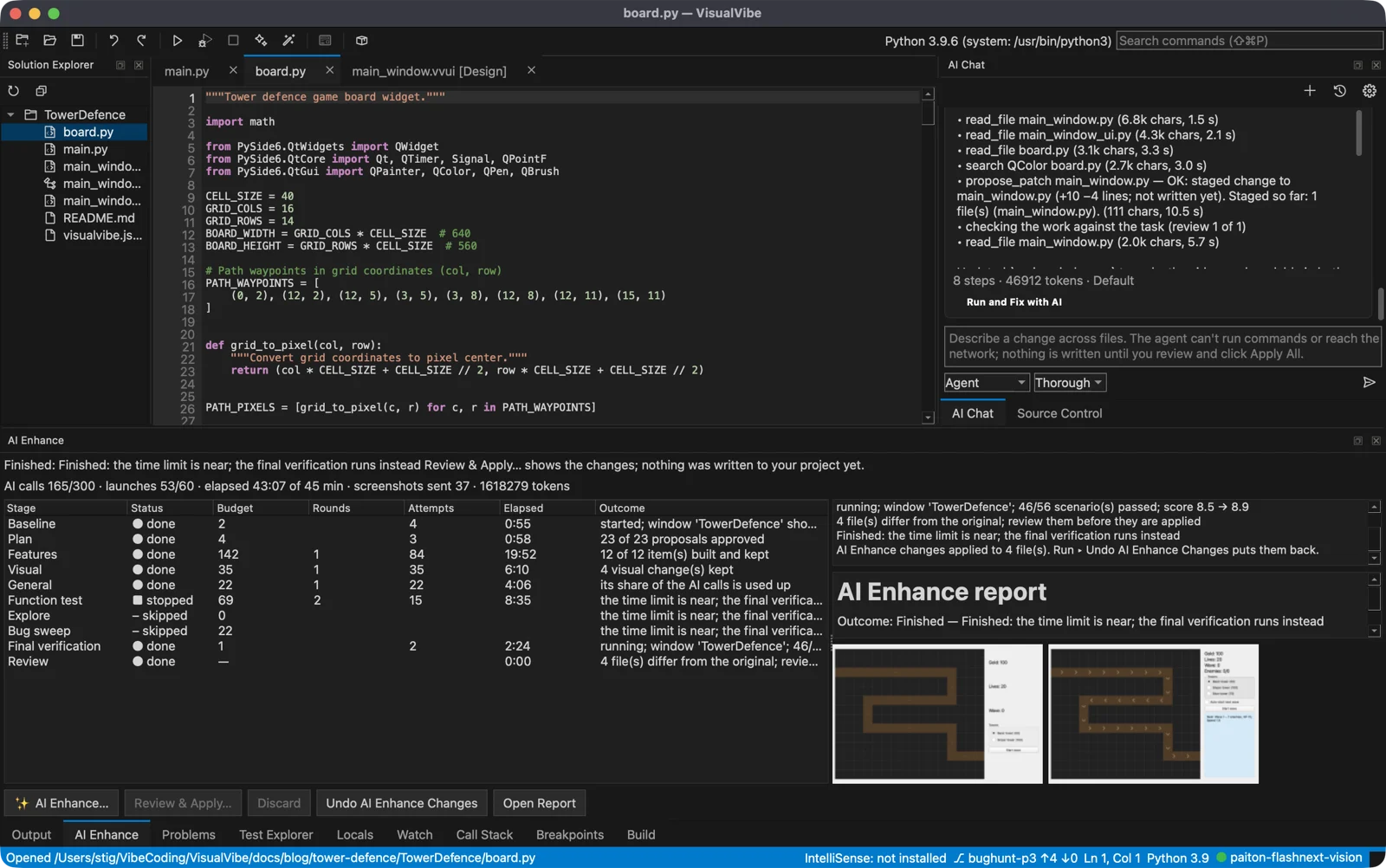
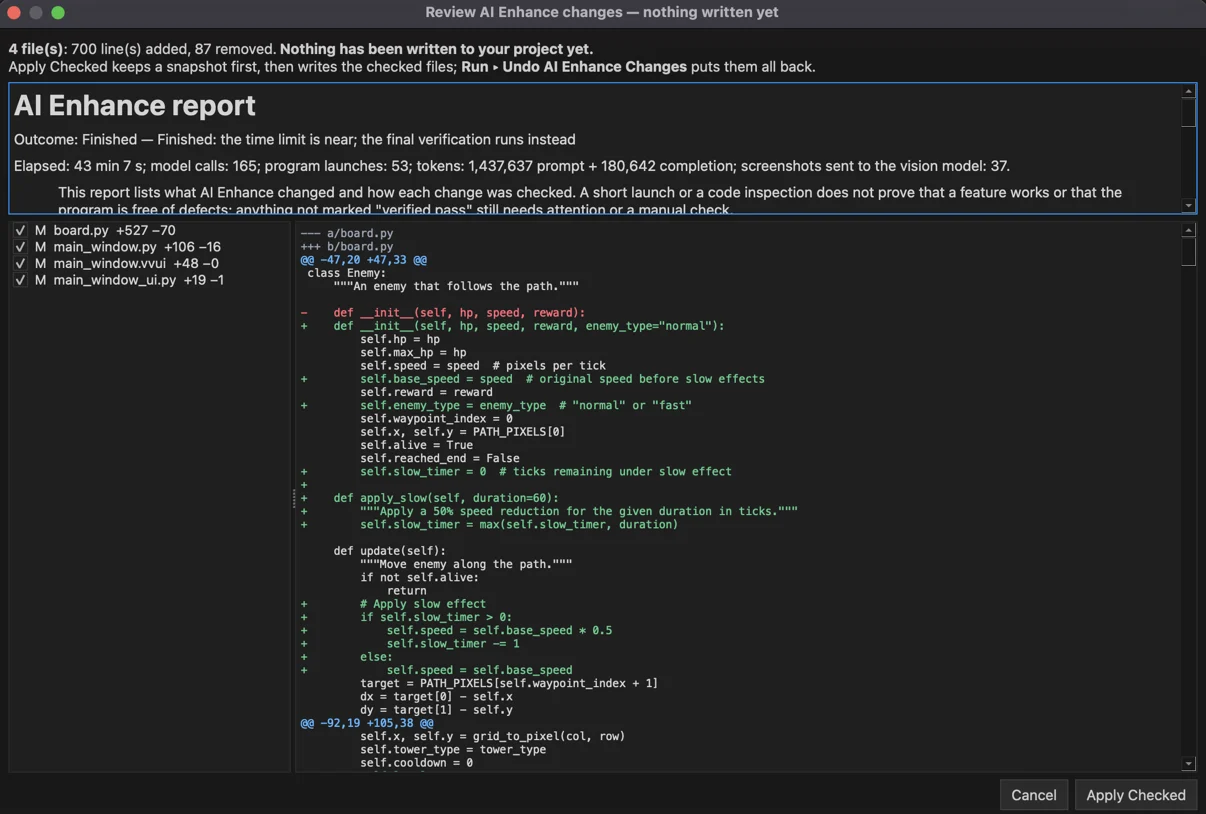
It finished after 43 minutes: 165 model calls, 53 launches of the game, and 37 pictures sent to the model.
| Stage | Time | Result |
|---|---|---|
| Baseline | 0:55 | The game starts, three behaviours recorded as checks |
| Plan | 0:58 | 23 proposals, all approved |
| Features | 19:52 | 12 of 12 built and kept |
| Visual | 6:10 | 4 visual changes kept |
| General | 4:06 | Stopped when its share of the AI calls was used up |
| Function test | 8:35 | Stopped: the time limit was near |
| Explore, Bug sweep | — | Skipped: the time limit was near |
| Final verification | 2:24 | 46 of 56 checks passed, score 8.5 → 8.9 |
The features it built: the slow tower, tower upgrades (three levels), a fast enemy, a tank enemy, a boss on every fifth wave, real projectiles, a ghost preview of the tower with its range before you place it, a burst when an enemy dies, an enemy counter, selling a tower with a right-click for 60 % back, an optional auto-start of the next wave, and a restart button after game over. On top of the goal it added keyboard shortcuts (1, 2, 3 for the towers, Space for the next wave), a preview of the next wave, tooltips with a tower’s stats, and it removed the dead on_greet_button_clicked handler the agent had left behind.
The before and after pictures are AI Enhance’s own, from its report:
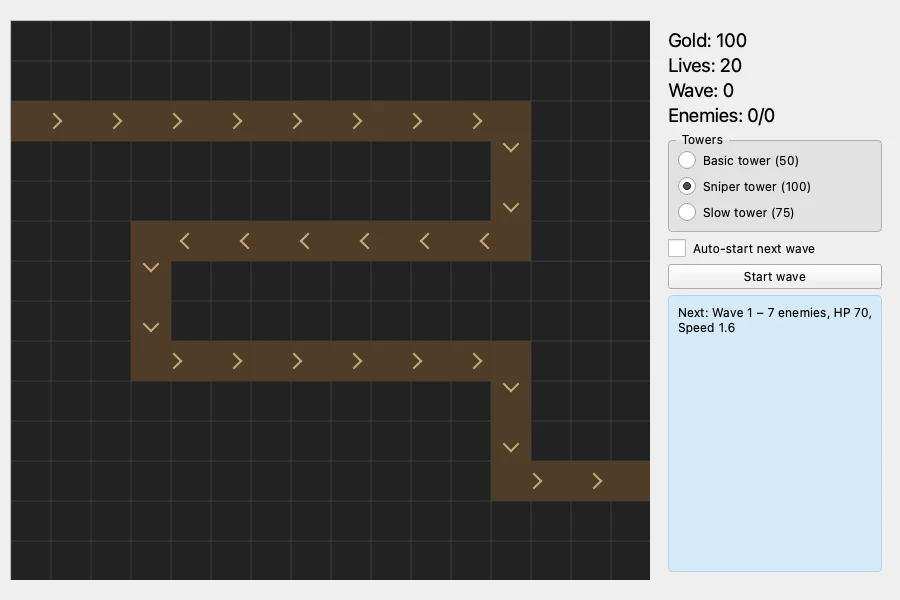
Review & Apply… then shows the report and the combined diff: four files, 700 lines added and 87 removed. Each file has a tick box, and a snapshot is taken first so one menu command undoes the whole session.
What went wrong
Three things, in rising order of importance.
It ran out of time. 45 minutes was not enough for 23 proposals. Six approved items were never built, among them one I had asked for in the goal: a side panel that says what each tower does. The tooltips cover part of that, but the panel itself only shows the costs. The explore stage and the bug sweep never ran.
Ten of its 56 checks failed in the final verification. The report is plain about it and marks, for example, the projectiles and the boss as failed. So I checked those myself by playing the result for four minutes with the script: projectiles fly, the slow tower halves an enemy’s speed, upgrades work, fast and tank enemies appear from wave 3, and the boss arrives on wave 5. A second script confirmed that selling a tower returns 30 of its 50 gold and that Restart after game over resets the game. The failed checks were tests that expected something at a moment it had not happened yet (a boss “on wave 5” while the test was still on wave 2), not broken features. I did not find a real defect behind any of the ten, but I only tested what is listed here.
The side panel was unreadable on my Mac. AI Enhance runs the program hidden, and there the window is light. To make the tower list and the status box stand out, it gave them hard-coded light backgrounds. My Mac is in dark mode, where the text is white:
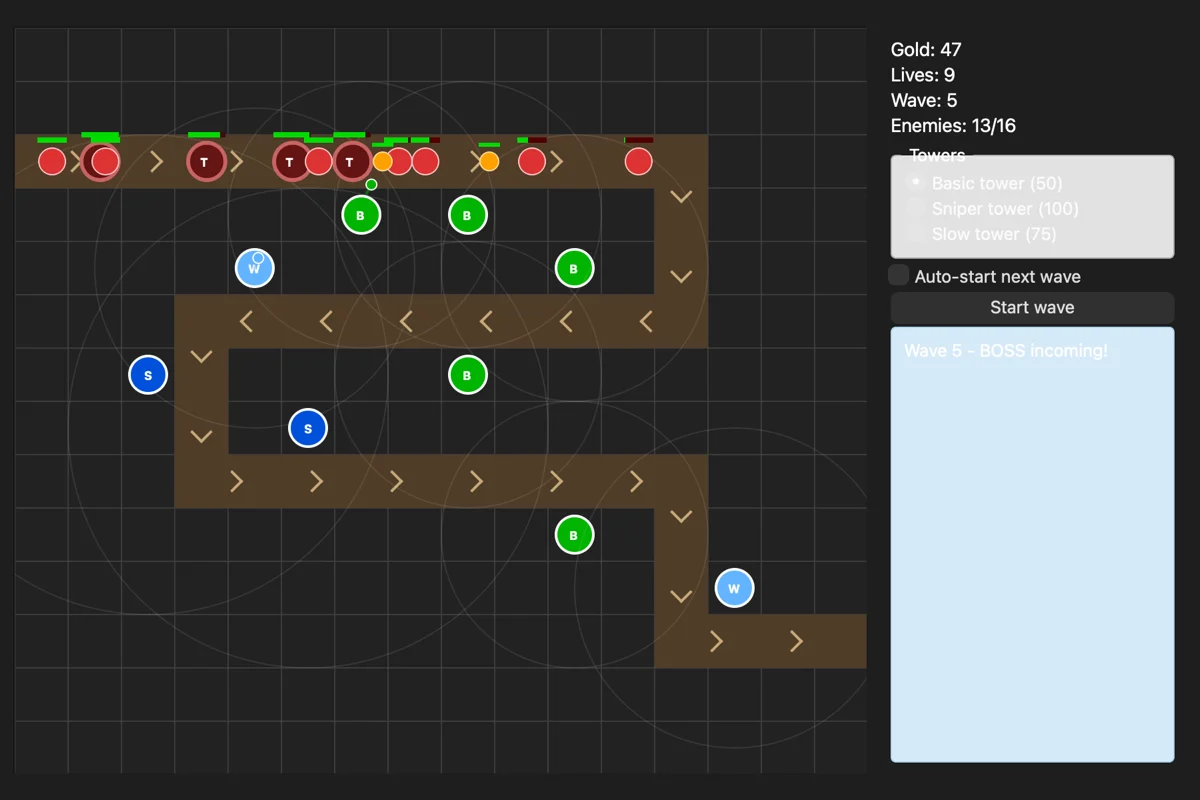
AI Enhance never saw this, because it only looked at the light window. This is the kind of thing a person catches in five seconds, and a reminder that “the checks passed” and “it looks right on my machine” are different claims.
5. Fixing dark mode with one more agent request
The fix was a normal agent request:
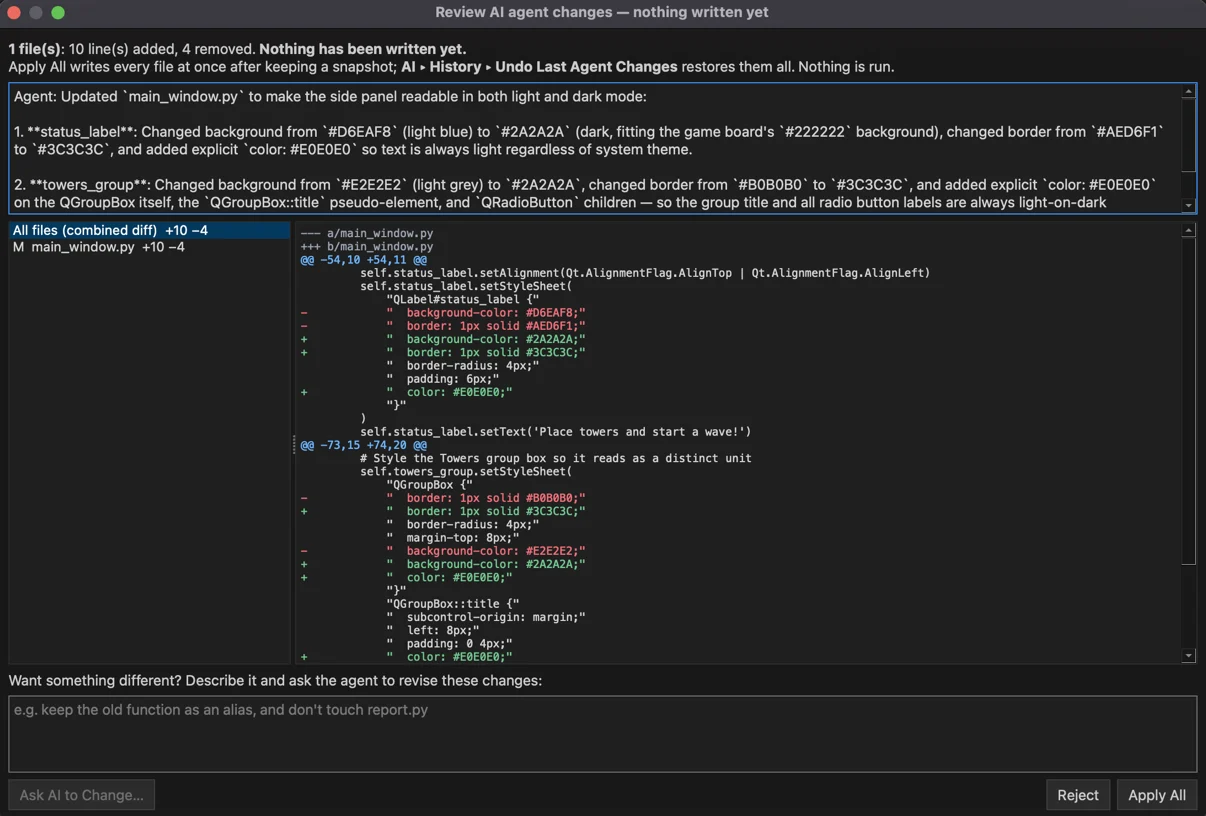
The side panel is hard to read when macOS is in dark mode: main_window.py gives the Towers group box (#E2E2E2) and the status label (#D6EAF8) hard-coded light backgrounds, but the text keeps the theme’s light colour. Make the side panel readable in both light and dark mode: give those two boxes a dark background that fits the game board, and set their text colours explicitly (radio buttons and group title included) so they no longer depend on the system theme.
About a minute and 8 steps later it proposed a 10-line change to main_window.py, which I applied.
The finished tower defence game
Three tower types, upgrades, four kinds of enemies, projectiles, selling, auto-start and restart, in about 1,100 lines of Python across four files.
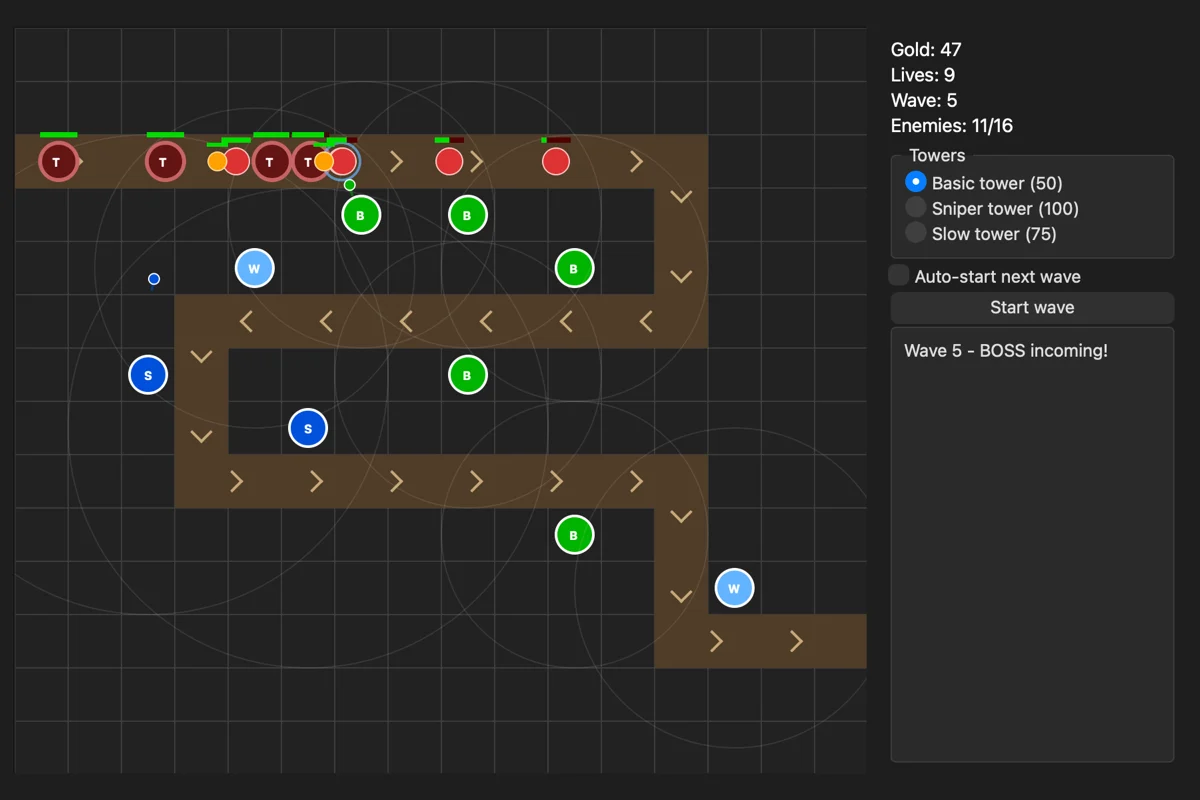
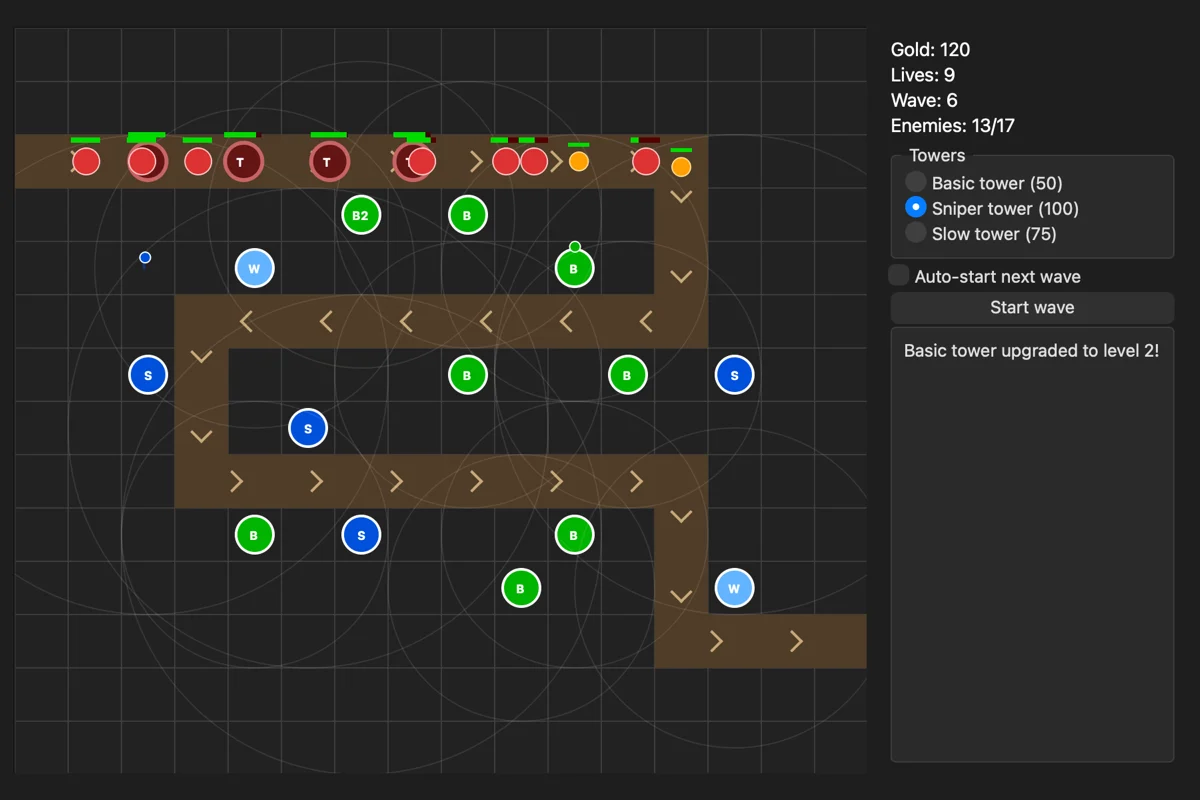
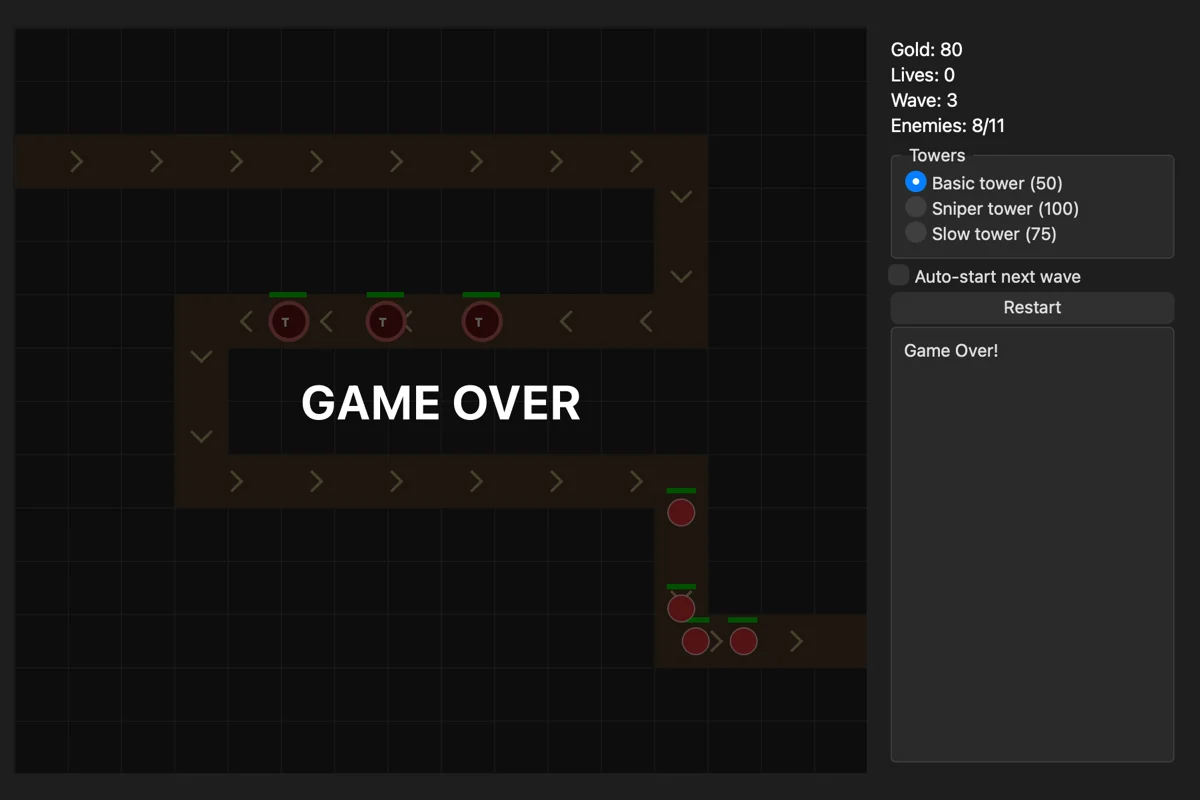
It is a small game, and it is not balanced: by wave 7 my scripted run, with fourteen towers on the board, was sitting on 600 unspent gold. But it is a complete, playable program, the form is still an editable design in the form designer, and I did not write a line of it by hand.
What it took to build
- Three prompts and one AI Enhance goal.
- About 47 minutes of model time in total: 11 seconds for the form, about two minutes for the first version, 43 minutes of AI Enhance and about a minute for the fix.
- One local model on my own network. Nothing was sent to a cloud service.
- One thing I had to catch myself: the dark-mode colours.
Download VisualVibe and try it
VisualVibe is free. Version 0.8.2 for macOS (signed and notarized), Windows and Linux is at stigern.net/software/visualvibe. You need Python and, for the AI features, an OpenAI-compatible model server such as LM Studio, Ollama or vLLM, on your own computer or your network.
More of what I make is under Software here on the blog, and the games are at stigern.net/games.