
I often need to turn a picture into an SVG: a logo, a silhouette or a line drawing that I want to extrude in Fusion 360. Every time, I end up on the same kind of website. Either the “free” converter wants a subscription before it lets me download the result, or the page is so full of ads and pop-ups that I can barely find the upload button.
I got tired of that, so I made my own: FuSVG.
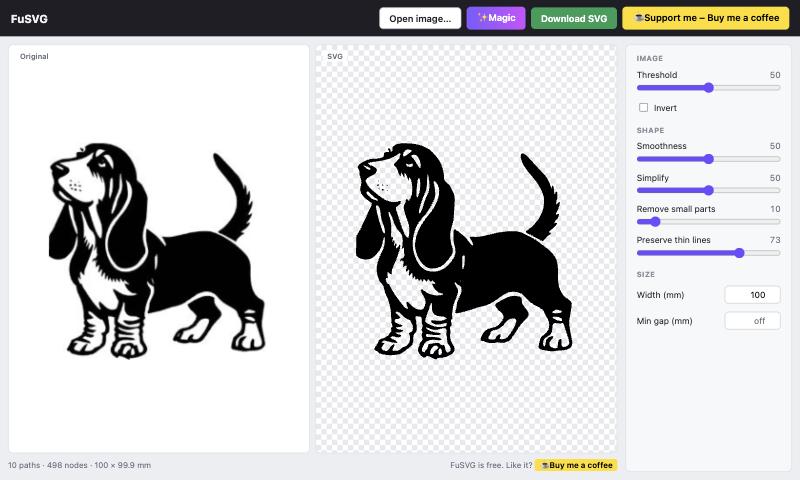
What it does
- Drop, paste or open an image. Black artwork on a white or transparent background works best.
- Press ✨ Magic and it picks sensible settings for you.
- Fine-tune threshold, smoothness, simplify, removing small specks and keeping thin lines if you want.
- Set the width in millimetres and download an SVG that is ready to use as a CAD sketch.
Your images stay on your computer
Everything runs in your browser. There is no server and no upload, so your images never leave your machine. There are no accounts, no tracking and no watermark.
Shared as is
I made FuSVG for myself and I’m sharing it as is. It is free to use, with no paywall and no ads. It works well for the kind of artwork I needed, but I make no promises beyond that. If it saves you some time and you feel like it, there’s a “Buy me a coffee” button in the corner. That is completely optional.
👉 Try it: stigern.net/software/fusvg