
FuCode is a desktop app I made for coding with my local LLMs. It talks to the models I run myself, reads and edits my projects, runs tests and builds, and handles Git, and I decide what it may touch. It’s made for me and it isn’t out yet, but I wanted to show it.
My own models, wherever they run
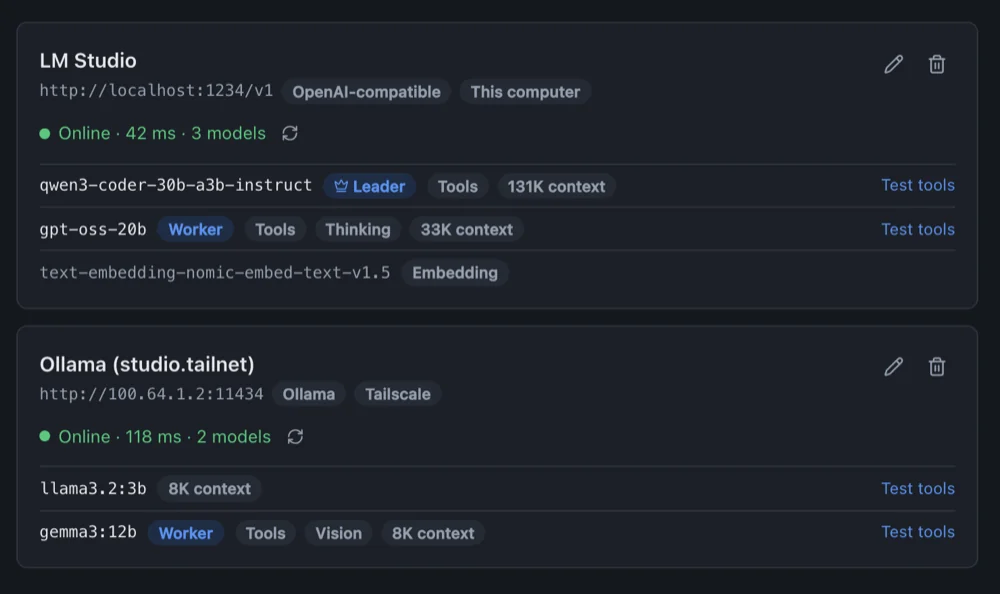
FuCode finds OpenAI-compatible servers such as LM Studio, vLLM and llama.cpp, plus Ollama, on this computer, on the local network and on my Tailscale machines. API keys stay in the OS keychain, and it never goes looking on the internet.
You choose what a chat may do
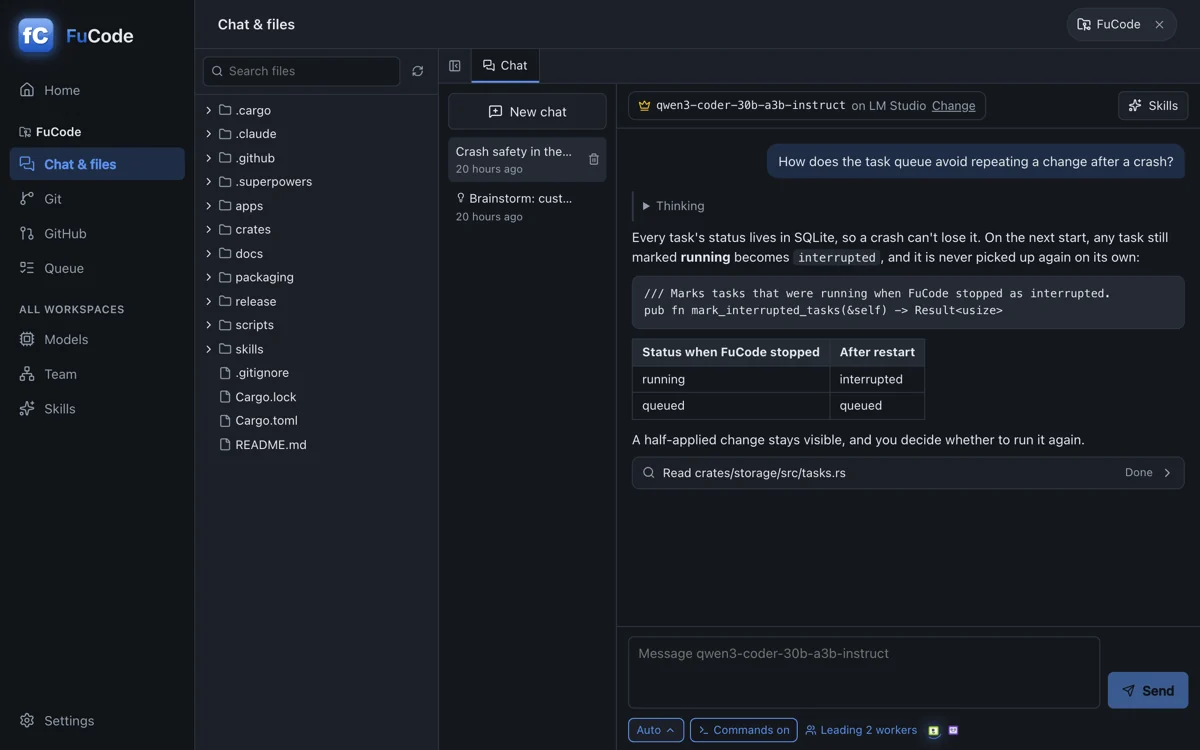
Each chat has one Mode. Auto applies edits and runs known-safe commands such as tests and builds, and asks about the rest. Manual asks before every change. Accept edits applies file edits and asks before commands. Plan only reads and writes a plan. Bypass runs everything without asking, and No files is plain conversation.
Commands run without a shell and stay inside the project folder unless you turn that off in Settings. Files that may hold secrets are never read, diffed or committed, and every action is logged.
A team of models
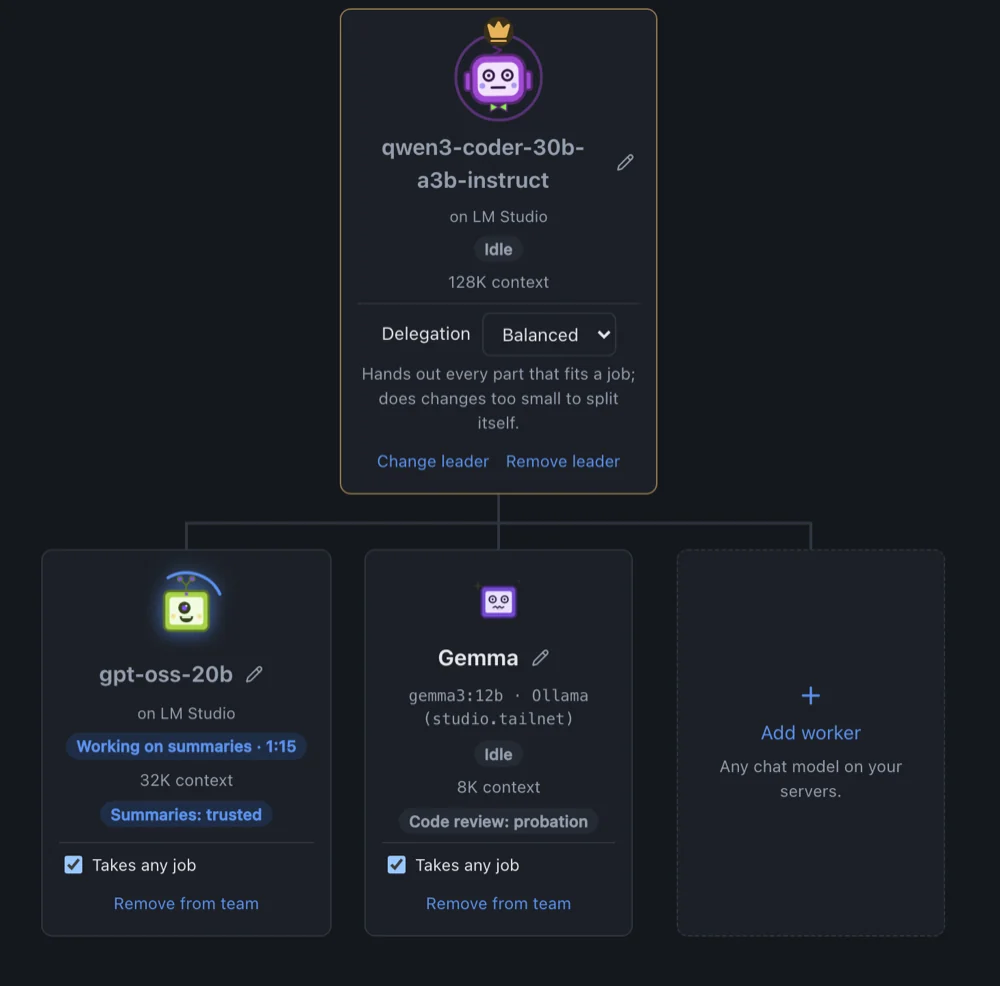
Summaries and docstrings don’t need your best model. So you pick a leader, and it hands well-defined jobs to your other models, on any server: summaries, unit tests, mechanical edits, reviews, commit messages. FuCode picks a free worker that can do the job, checks the result, and keeps a trust record per job type. Workers never write files or run commands themselves.
A queue for the rest
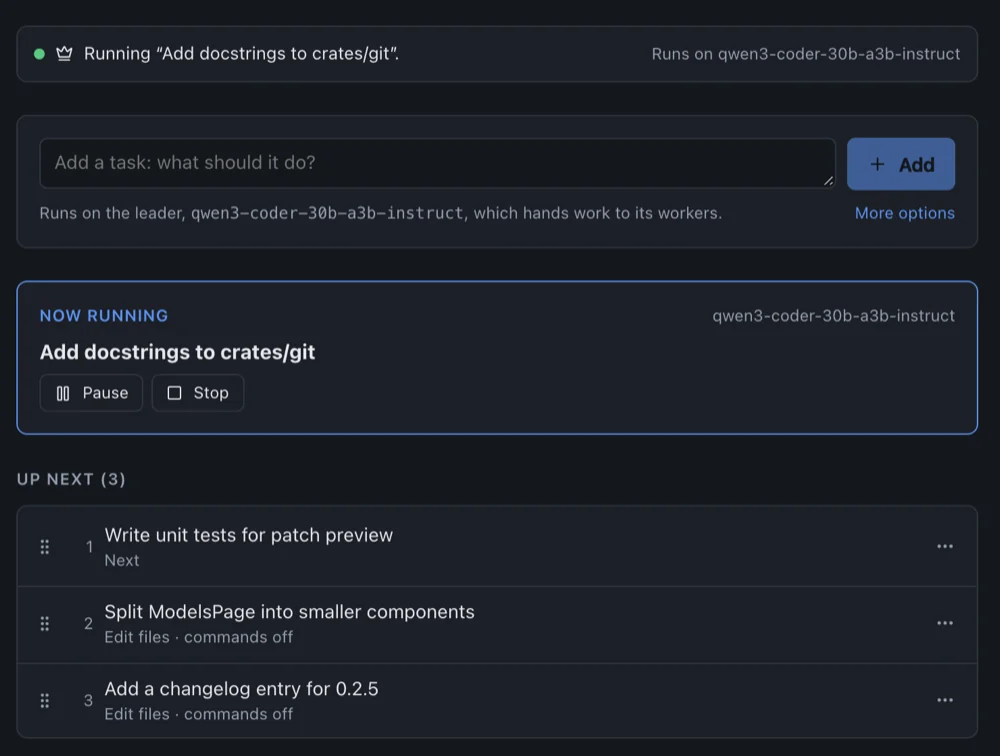
Each workspace has its own task queue. Drag tasks into order, pin one to run next, and add dependencies. Tasks run one at a time, and you can pause and resume between steps. The queue survives restarts, and if FuCode stops in the middle of a task, that task is marked as interrupted and never restarted by itself, so a change isn’t silently repeated after a crash.
And a lot of small things
- A Monaco editor where saves show a diff first, and which refuses to overwrite a file that changed on disk.
- Git offline: stage, commit and switch branches.
- GitHub: read issues, start work on one in its own branch, and open a pull request after confirming exactly what is pushed.
/brainstormturns an idea into an agreed design before any code.- Skills: install Superpowers-compatible
SKILL.mdpacks, and the model picks the ones it needs. - Remote access from my phone or another computer over Tailscale. It’s off by default and only lets in devices signed in as me.
Made for me, shared as is
I made FuCode for myself and I use it with my own local LLMs. I’m thinking of sharing it here eventually, but when I do, it will be as is. The code was written with Claude (Opus and Fable), and I take no responsibility for what it does on your machine: no warranty, no support promise. Builds aren’t signed yet, and Windows and Linux still need more testing. If it ends up being useful to you too, good.